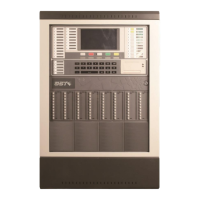
GST200 Intelligent Fire Alarm Control Panel
Installation and Operation Manual
The Intelligent Solution
Page 27
Fig. 6-4
GST CO., LTD.
*LCD Contrast*
048
Input number 2, you can enter the screen for setting browse mode, as shown in Fig.
6-5. 1 is for zone mode, and 2 is for loop mode.
Browse Mode
1 Zone Mode
2 Loop Mode
Fig. 6-5
Input number 3, you can enter the screen for browsing C&E equation as shown in
Fig. 6-6. The highlighted line is the current message.
Pressing
△
=
or
=
▽
can choose a piece of message. Pressing ENTER then, the details of
this message will be displayed. Pressing ESC will exit the operation.
ENTER
Browse C&E
Sum: 003
C&E 001
C&E 002
C&E 003
Browse C&E
C&E 001
G0100103 × G0100203+G0100203 ×
G0100303+ G0100103× G0100303+
G0100103× G0100203× G0100303=
G0100413 00
Fig. 6-6
The part before “=” is the condition and that after it is the result.
“×” means “and”, and “+” means “or”.


 To Next Page