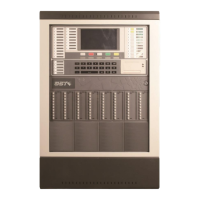
GST200 Intelligent Fire Alarm Control Panel
Installation and Operation Manual
The Intelligent Solution
Page 35
1 Selecting number 1 will disable all delay settings in the system.
2 Selecting number 2 will enable system to output according to the edited delay time,
and light the DISABLE and DELAY MODE LED. Pressing VIEW DISABLE, the
LCD will display “immediate actioning of outputs is disabled”.
Note: If the fire alarm is from a manual call point, then the system will output
immediately despite any delay settings.
6.3.3 Operation through STAR/STOP Key
Pressing START/STOP can start or stop loop devices, as shown in Fig. 6-20.
Fig. 6-20
*Start&Stop*
1 Start Devices
2 Stop Devices
3 View Start
4 View Delay
6.3.3.1 Starting Loop Devices
In the screen shown in Fig. 6-20 you can enter loop device start screen by entering
number “1”, as shown in Fig. 6-21. Similar to disabling devices, you can also start a
single device or multiple devices by using the asterisk wildcard.
Fig. 6-21
Start_up
Z000 C000 T00 NoDefine
6.3.3.2 Stopping Loop Devices
In the screen shown in Fig. 6-20, you can enter loop device start screen by entering
number “2”, as shown in Fig. 6-22. The operation is the same as starting device.
Stop_EQ
Z000 C000 T00 NoDefine
Fig. 6-22


 To Next Page