EB+ Soft DockingInstallation guide
39
2020 Innovative Vehicle Solutions
How to complete EB+ Soft Docking EOLT using DIAG+ for a 3 sensor
(1 x yellow & 2 x green) system
Step 1:
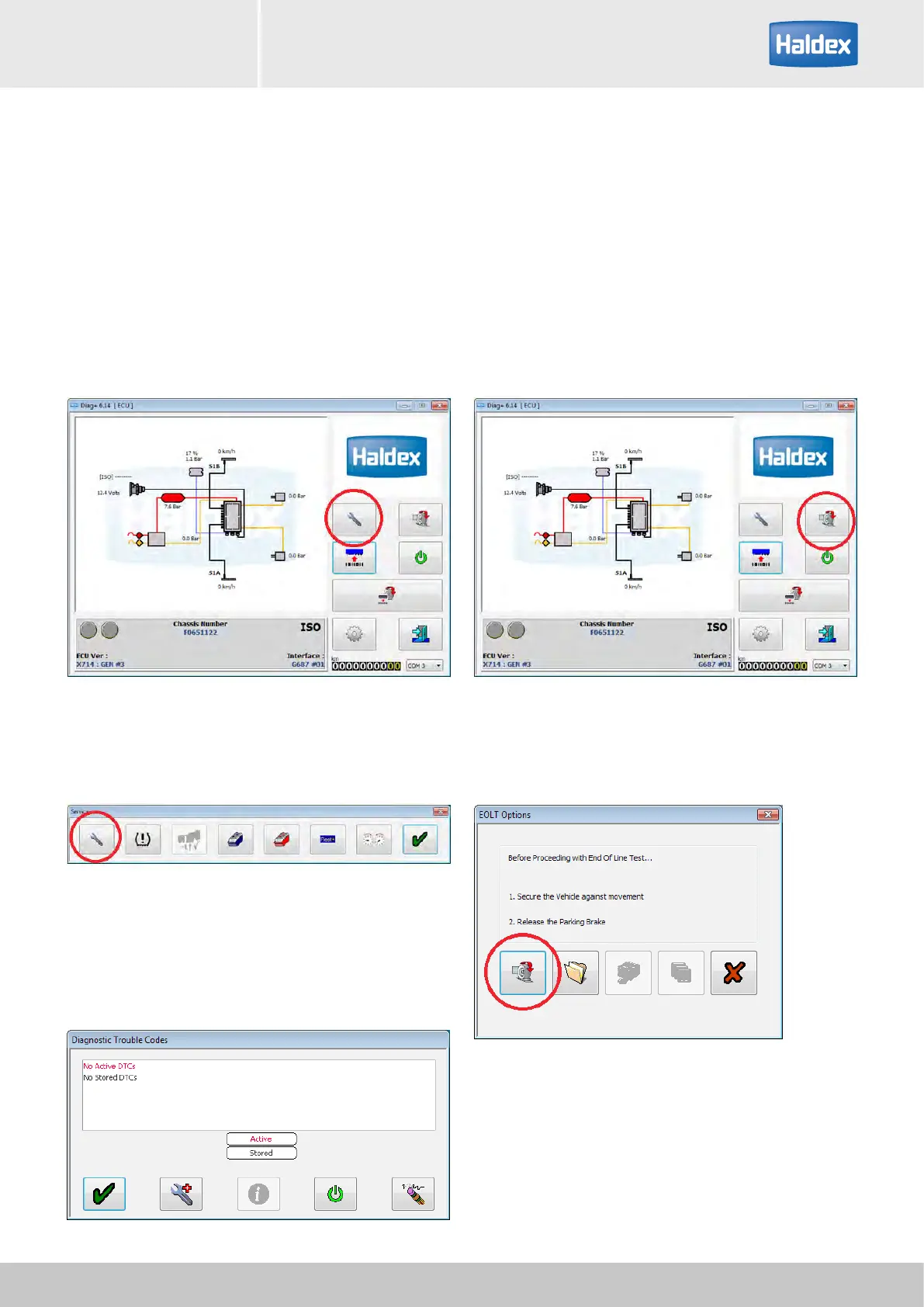
Turn 'on' the power to the EB+ Gen3.
Check that there are no active DTC's.
Note: Do not start the EOLT if there are any active
DTC's.
Step 2:
Open DIAG+, select service.
Step 3:
Select DTC's.
Step 4:
Check 'Diagnostic Trouble Code' window for any active
DTC's.
Step 6:
Select 'End of line test procedure'
Step 7:
Select 'End of line test'
Step 5:
No active DTC's present, start EOLT.



 To Next Page