EB+ Soft Docking Installation guide
40
Innovative Vehicle Solutions 2020
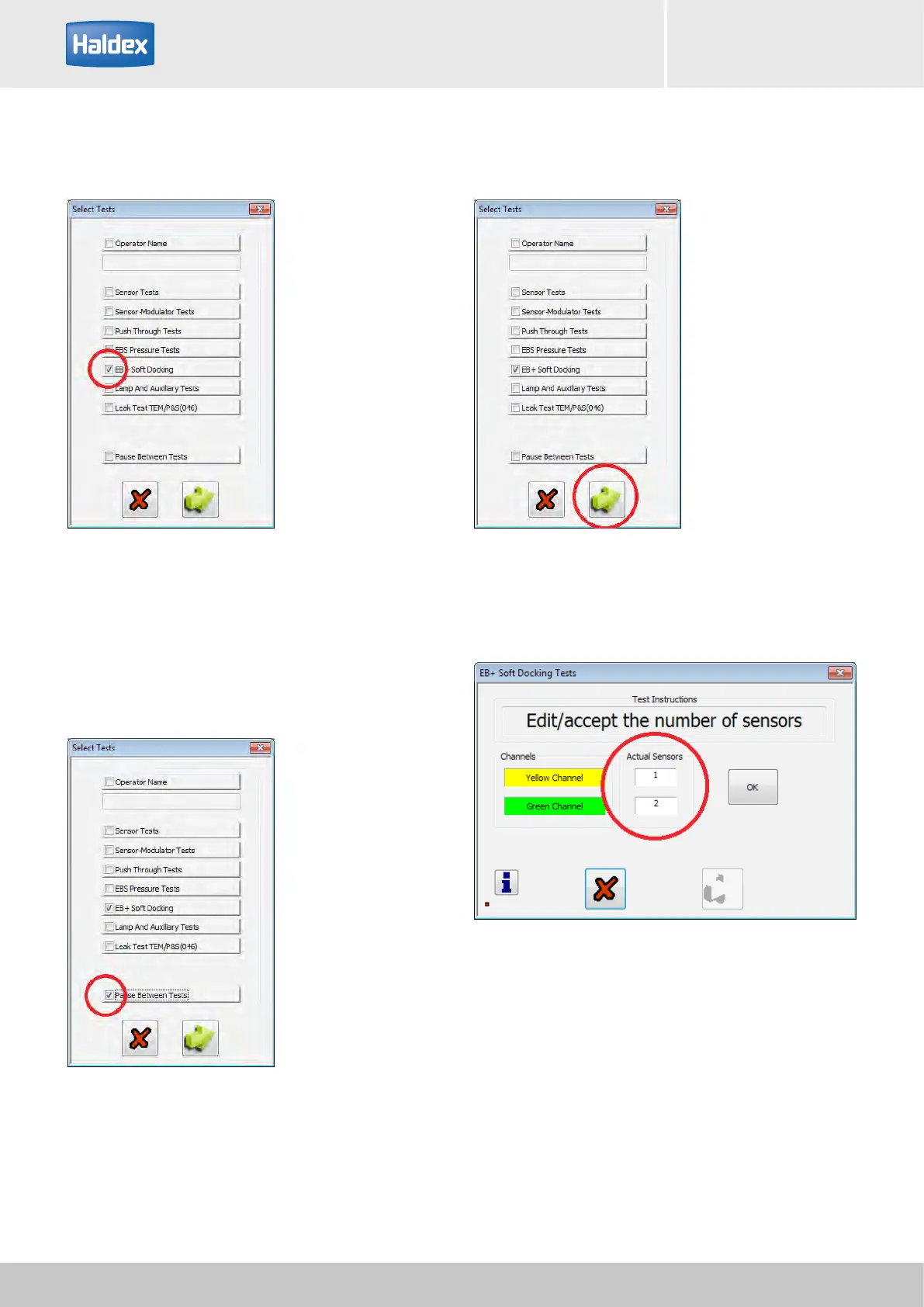
Step 8:
Tick the EB+ Soft Docking box.
EOLT option:
If required, tick the 'Pause Between Tests' box.
When ticked the EOLT waits for a prompt from the
operator before proceeding to the next test.
Step 10:
Check 'Actual Sensors' displayed value is correct.
Note: Manually edit the sensor boxes for the correct
values before proceeding with the EOLT.
Step 9:
Select 'arrow' to start the EOLT.



 To Next Page