Wireless Access Point HNW300APN
User Manual 109
12.1 Configuring Static IP connection
If you are a leased line user with a fixed IP address, enter in the IP address, subnet mask, gateway
address, and DNS (domain name server) address(es) provided to you by your ISP.
If your ISP wants you to connect to the Internet using Static IP, follow the instructions below.
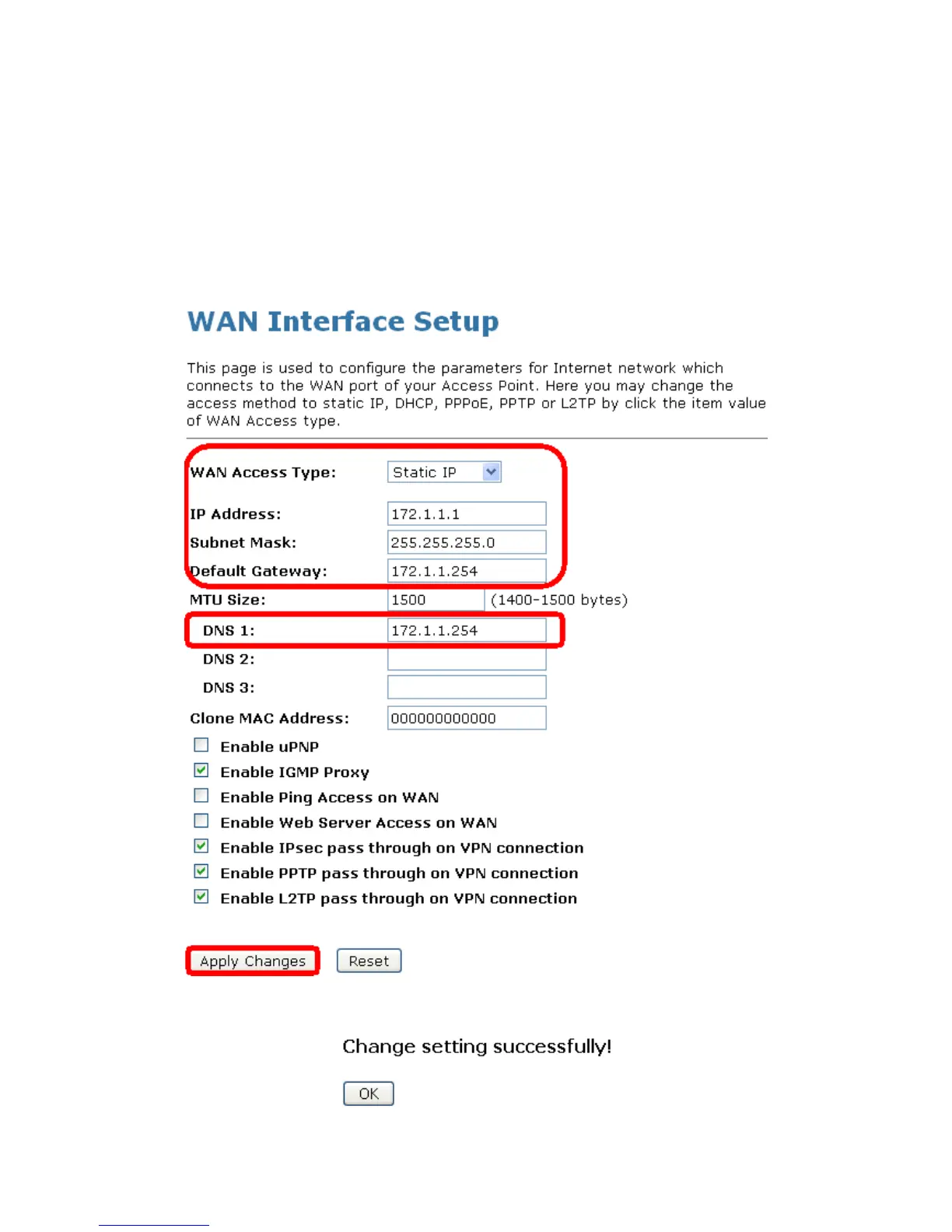
1. From the left-hand Network Settings -> WAN Interface menu. The following page is displayed:
2. From the WAN Access Type drop-down list, select Static IP setting.
3. Enter WAN IP Address, WAN Subnet Mask, Default Gateway and DNS which was given by Telecom
or by your Internet Service Provider (ISP).
4. Click Apply Changes.
5. Click OK.



 To Next Page