Wireless Access Point HNW300APN
User Manual 115
12.4 Configuring PPTP connection
If your ISP/Network Administrator wants you to connect to the Internet using PPTP, follow the instructions
below.
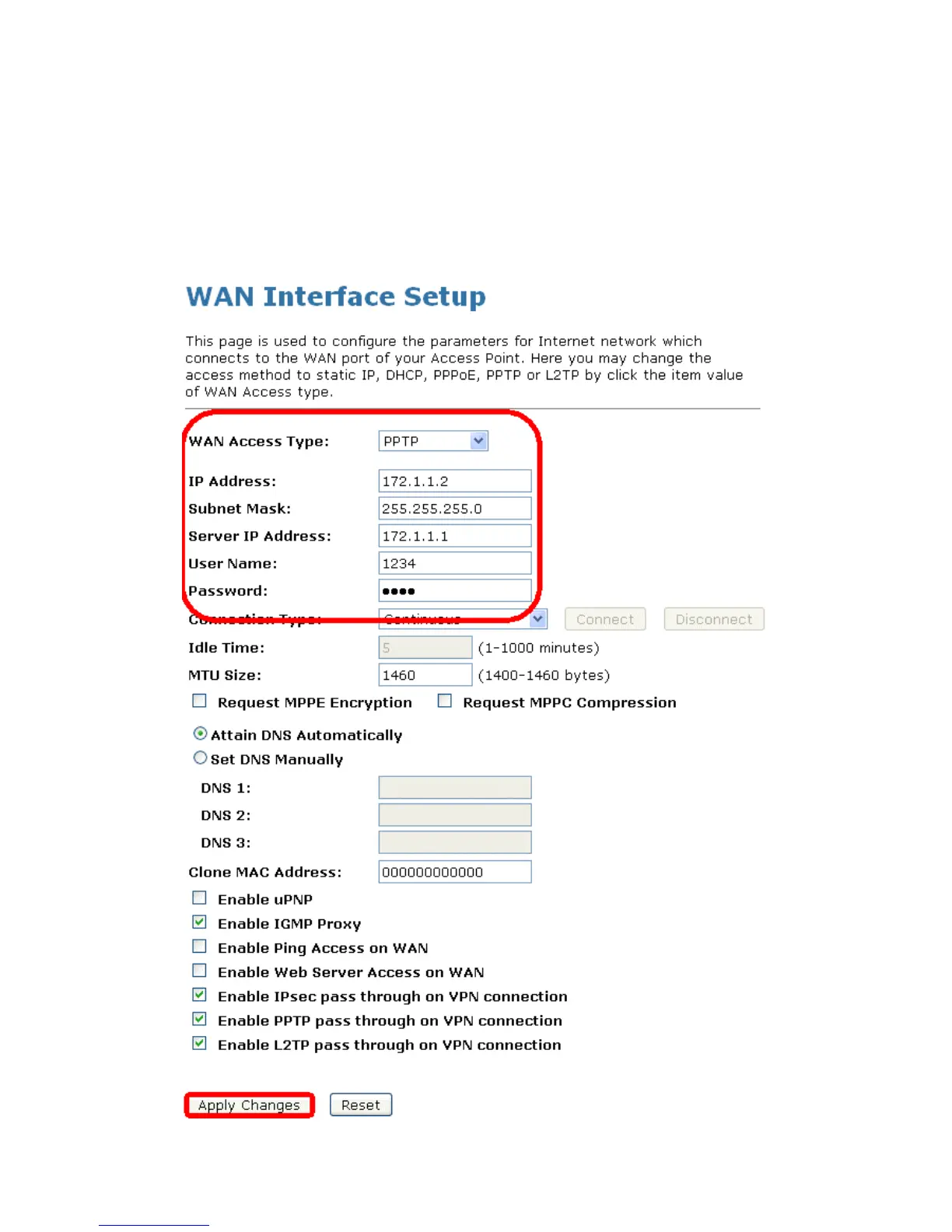
1. From the left-hand Network Settings -> WAN Interface menu. The following page is displayed:
2. From the WAN Access Type drop-down list, select PPTP setting.
3. Enter IP Address/Subnet Mask/Server IP Address/User Name/Password provided by your ISP.
Type them in the relevant boxes.
4. Click Apply Changes.



 To Next Page