Wireless Access Point HNW300APN
User Manual 143
23.2 Configure TZO
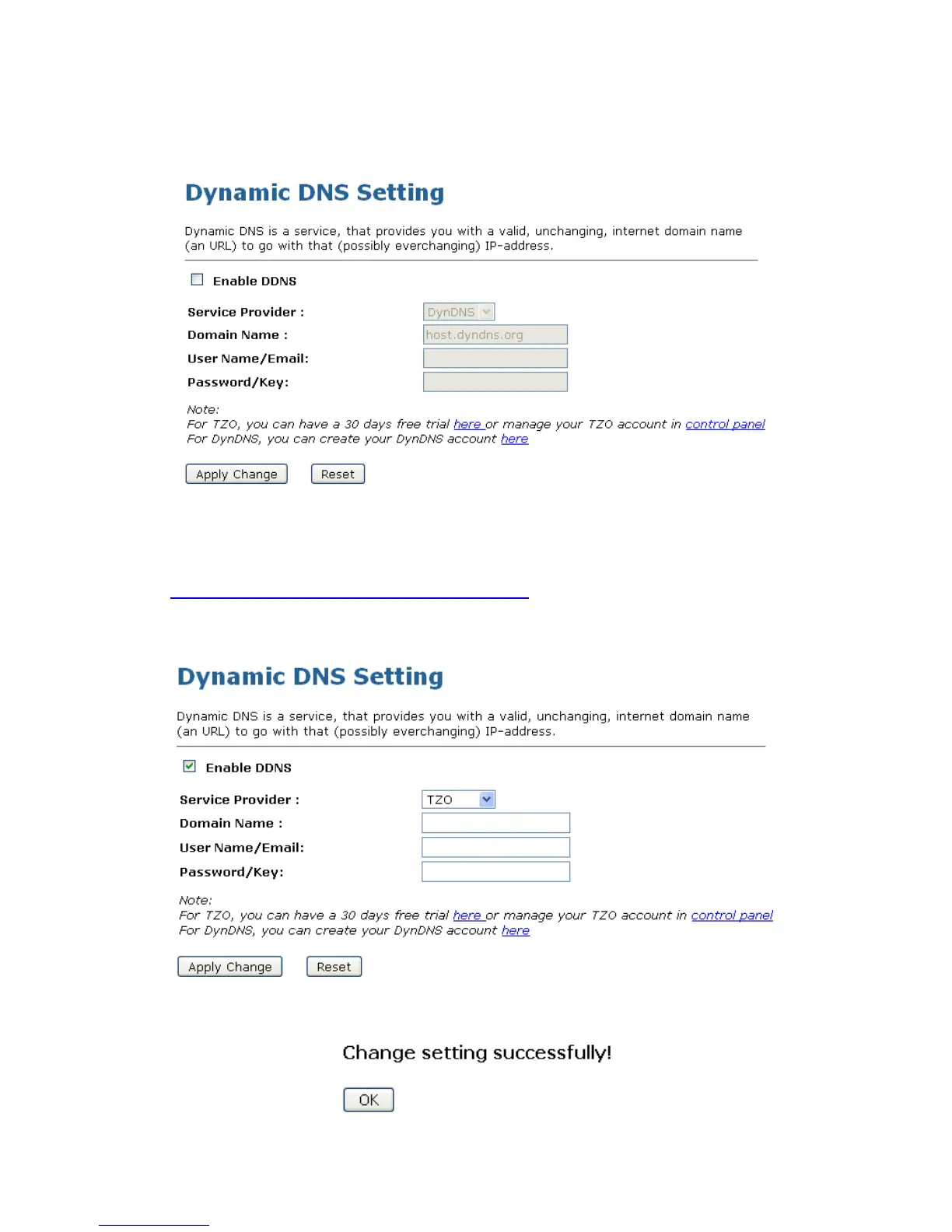
1. From the left-hand Management -> DDNS menu. The following page is displayed:
2. Click on Enable DDNS
3. Select the TZO from the Service Provider drop-down list.
4. Type your own unique Email, Key and Domain Name which you applied from
http://www.tzo.com/MainPageWebClient/clientsignup.html
in the relevant boxes. They can be any
combination of letters or numbers with a maximum of 20 characters.
5. Click Apply Changes.
6. Click OK.



 To Next Page