Wireless Access Point HNW300APN
User Manual 37
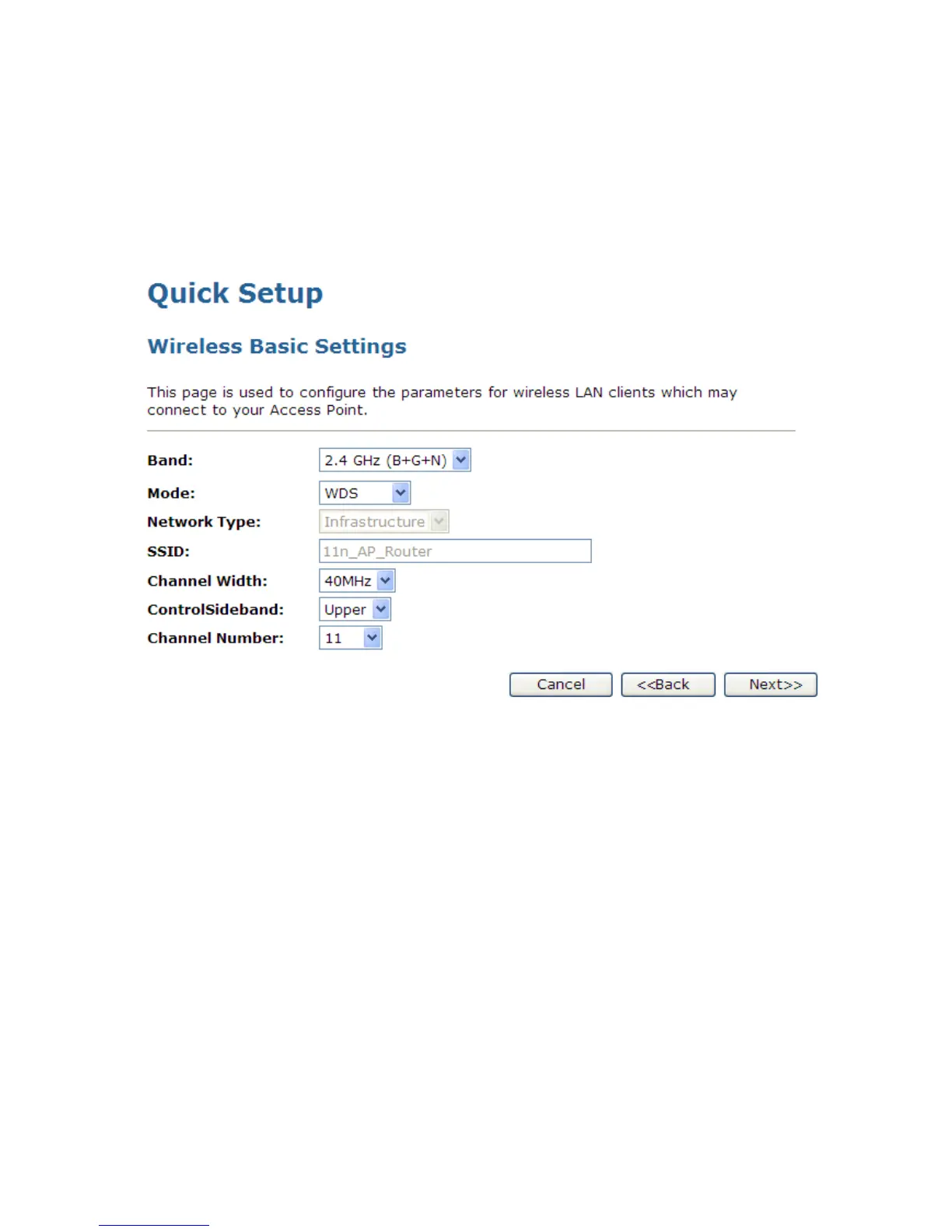
WDS (Wireless Distribution System) only
1. From the Band drop-down list, select a Band.
2. From the Mode drop-down list, select WDS setting.
3. From the Channel Width drop-down list, select a Channel Width.
4. From the ControlSideband drop-down list, select a ControlSideband.
5. From the Channel Number drop-down list, select a Channel Number.
6. Click Next>>.



 To Next Page