Wireless Access Point HNW300APN
User Manual 80
Configure Wireless ISP + Wireless client + Site Survey
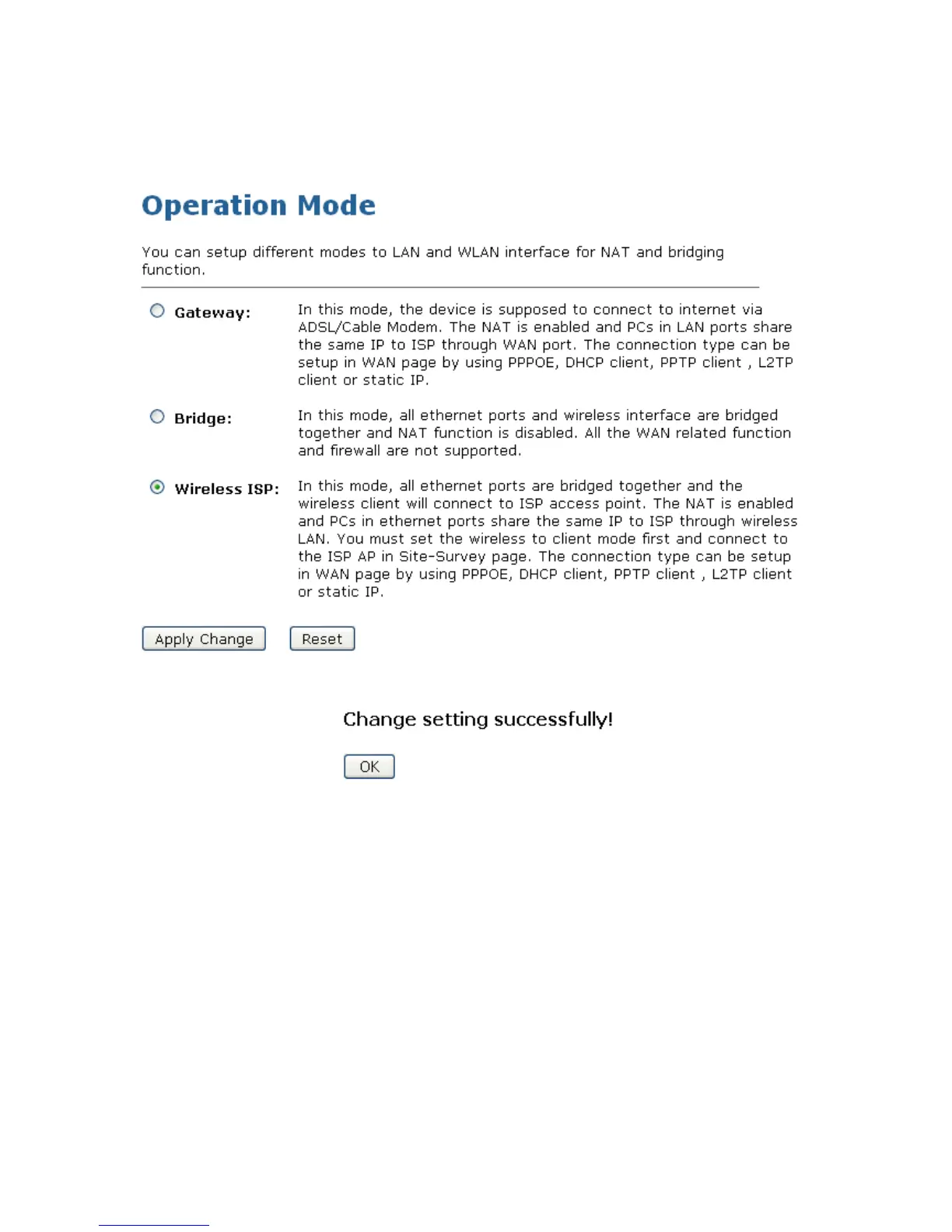
1. From the left-hand Operation Mode menu, click on Wireless ISP Settings.
2. Click Apply Changes button.
3. Change setting successfully! Click on OK button to confirm and return.
4. From the left-hand Wireless menu, click on Basic Settings.
5. From the Mode drop-down list, select Client.
6. Enter SSID of the AP that you want to connect to for example 11n_AP_Router. If you don’t know what
the SSID of the AP that you want to connect to, please skip this step.



 To Next Page