Wireless Access Point HNW300APN
User Manual 82
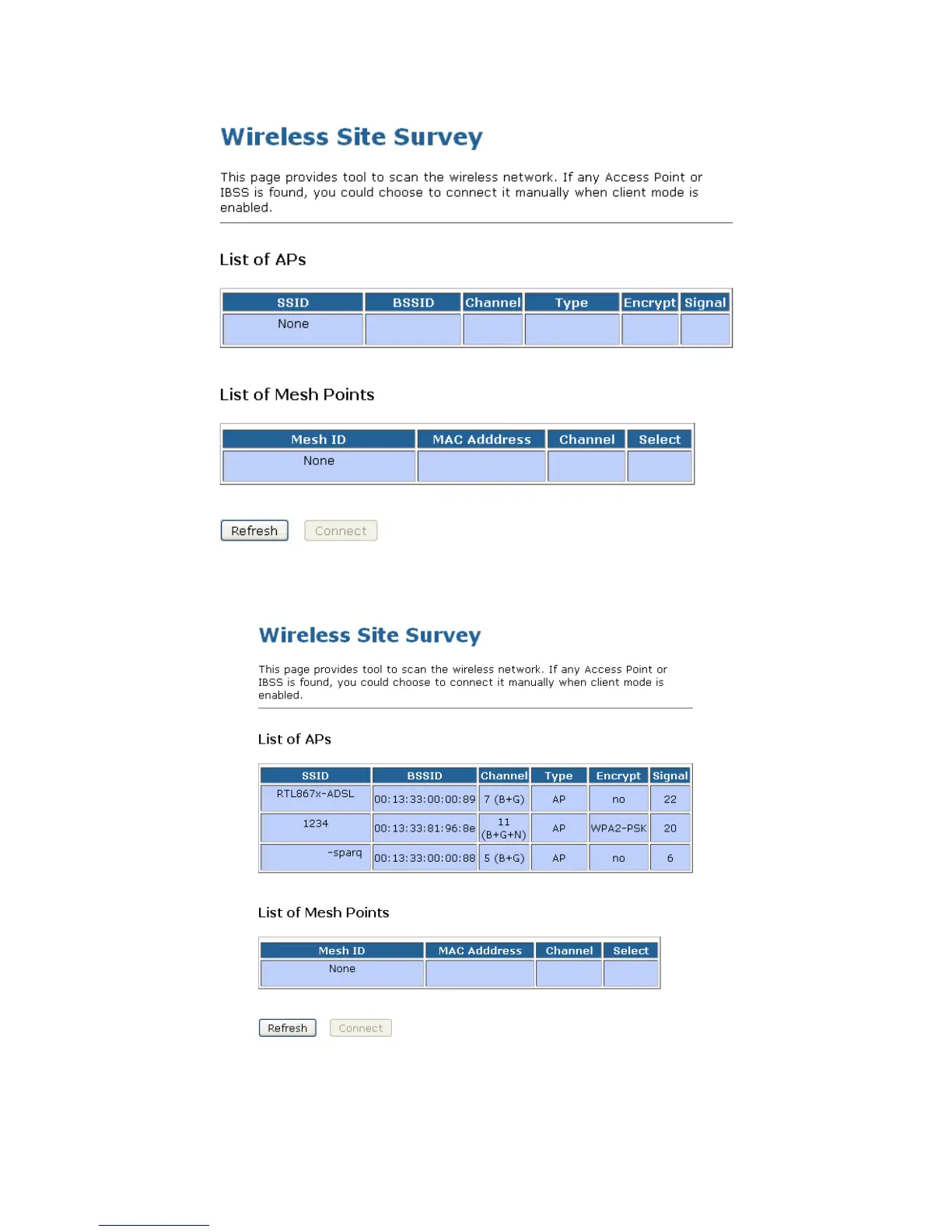
10. Click Refresh button.
11. Now you could see the APs that scanned by the Wireless Gateway were listed below.
12. Click on the ratio of AP’s SSID under the item Select that you want the Wireless Gateway to connect to.
13. Click Connect button.
14. Connect successfully! Click on OK button to confirm and return.



 To Next Page