11
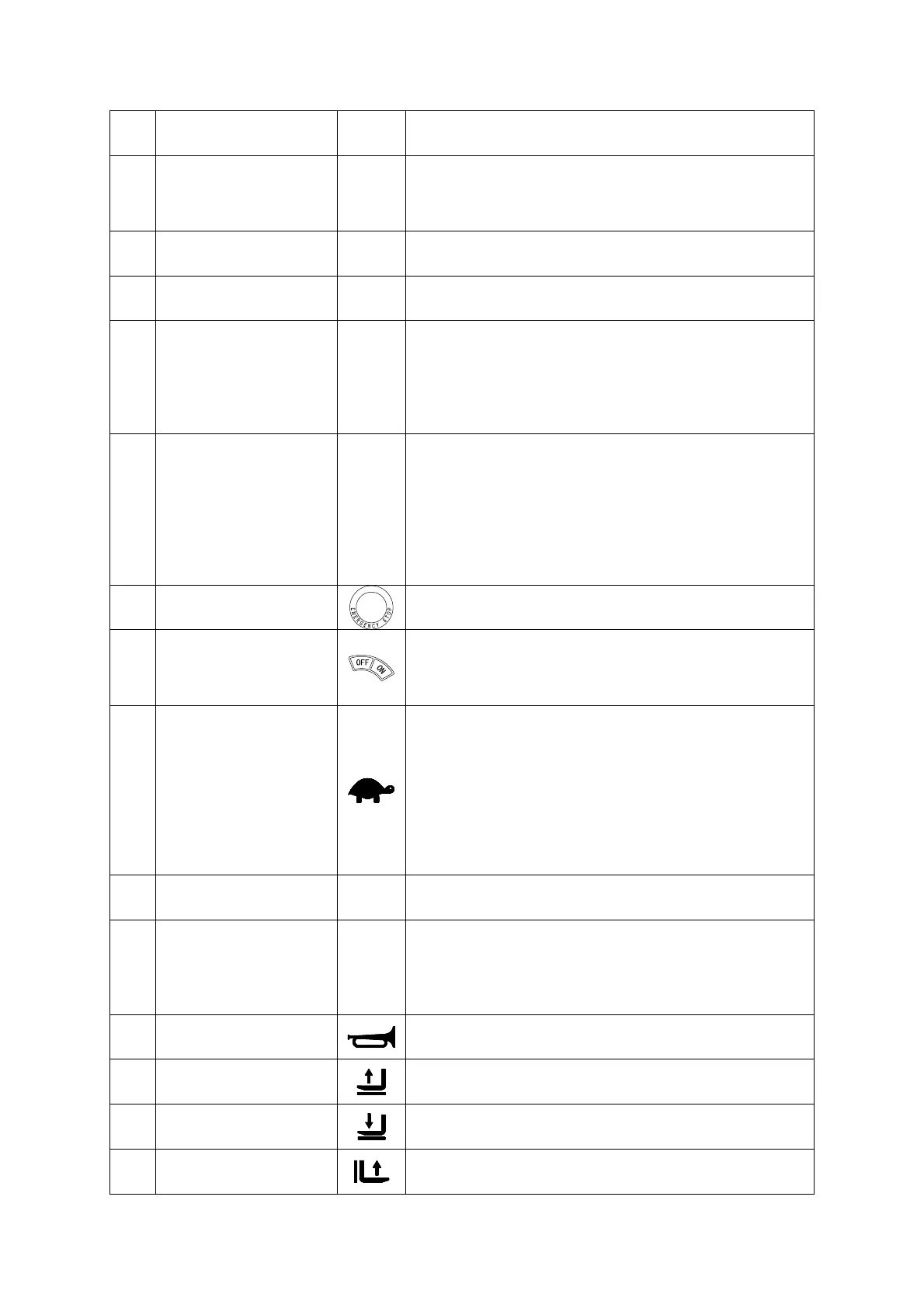
Item
Control/Display Symbol
Function
1 Tiller
Control the truck steer and brake.
Set to brake zone (B): The truck brakes mechanically.
Set to travel zone (F):
released and the truck is ready for operation.
2 Display
Display battery charging status, running hours and fault
information.
3 Lock switch
Unfolding or folding up the safety side arms, then release
the locked state of the safety side arms.
4 Safety side arms
When the safety side arms are not unfolded and the
operator platform is laden and unfolded, he travel
speed will be limited in low speed condition.
When the safety side arms are folded out and the
operator platform is laden and unfolded, lifting above
6
Folding operator
platform
Pedestrian mode: When safety side arms and folding
platform up, the travel speed will be limited in low speed
condition.
Rider mode only: When folding platform down and
vacated, travel inhibited; When folding platform down
and laden by weight of operator (both side arms must
be
9
Emergency Disconnect
switch
Disconnects the battery supply. All electric functions are
cut out and the industrial truck decelerates.
10
Key switch and key
Activates the industrial truck by switching on the control
voltage.
Removing the key prevents the truck from being
switched on by unauthorized personnel.
17
Slow travel button
Press this button and indicator light (25) is on, it means
the truck changes to low speed travel mode. When in
low speed mode, the truck will travel in low speed.
travelling speed; Press this button and indicator light
(25) is off, it means the truck changes to normal
travelling mode.
18
Travel switch
Controls the direction of travel as well as the travel
speed.
19
Collision safety switch
Safety function
When applied the truck travels for approx. 3 seconds in
the forks direction. The parking brake then applies. The
truck remains switched off until the travel switch is set
20
Horn button
When pressing the horn button, it will give out sound
warning signal.
21
Fork lift button
Raises the forks. The lift speed can be infinitely
controlled via the stroke of the switch.
22
Fork lower button
Lowers the forks. The lowering speed can be infinitely
controlled by the stroke of the switch.
23
Wheel arm raise button
Raises the wheel arms at a constant speed.




 To Next Page