13
2.3.1 Display
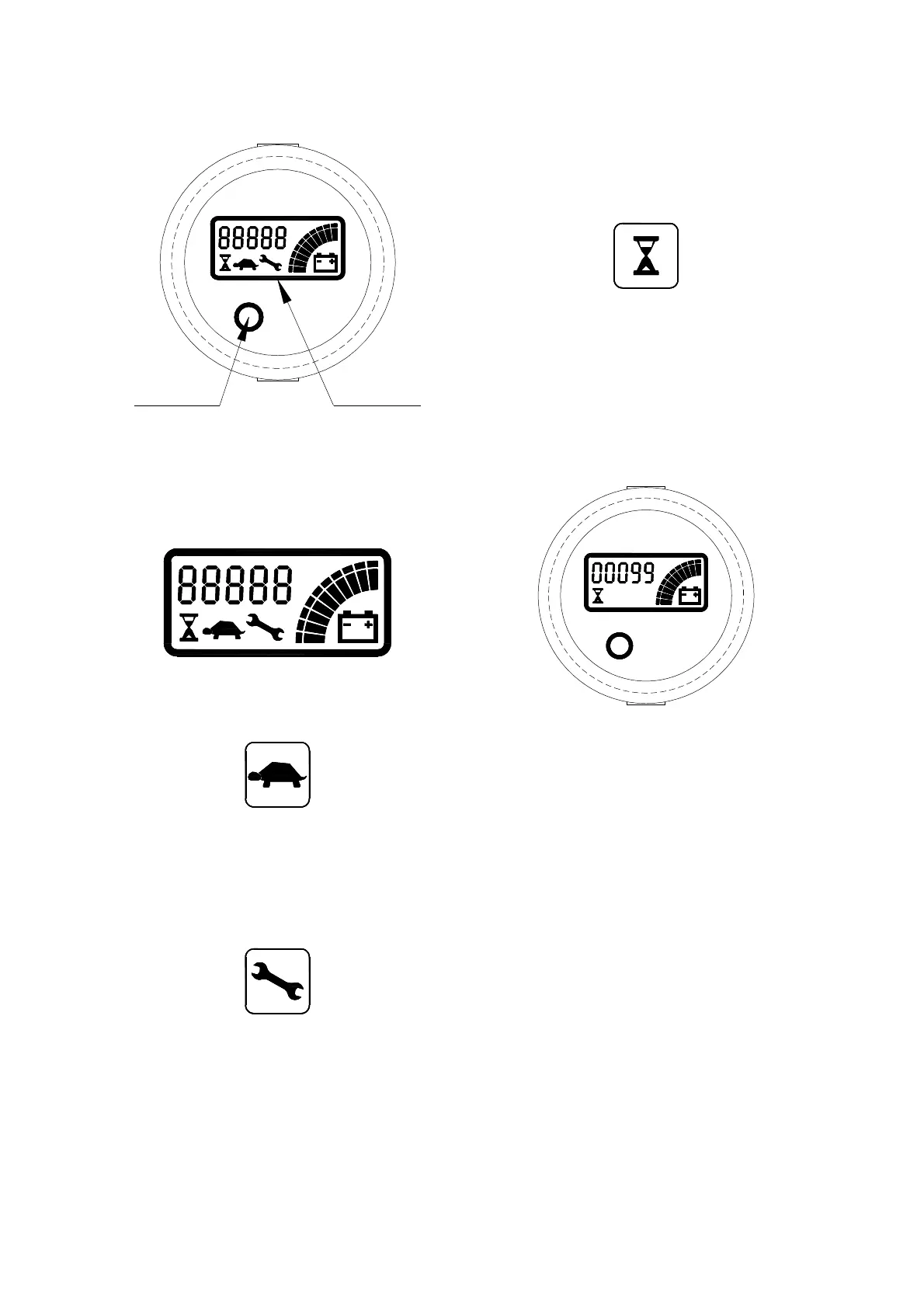
ALARM LED LCD DISPLAY
LED function
The MDI-CAN has only a LED. This LED
is red and lights and blinks when an alarm is
present.
Display function
Three symbols inform the operator as
follows:
Turtle Symbol:
It is normally off; when it appears (fixed) it
shows activation of the “soft” mode of the truck,
in which maximum speed and acceleration are
reduced;
Monkey Wrench Symbol:
It is normally off; when it appears (fixed) it
shows the request of programmed
maintenance or the Alarm state. In this case
the relative code will be displayed. The
information supplied by the MDI-CAN can be
extremely useful. Failures can be quickly
identified by the Operator or Service
Technician thereby finding the fastest solution
to the problem.
Hourglass Symbol:
It is normally off; it blinks when the Hour Meter
is working.
Hour meter
An alpha-numeric liquid crystal display is
fitted in the centre of the unit that shows the
Hours Worked. The display is backlight (the
backlight is normally lighted).
Alarms
The same display can also indicate the
Alarm state, showing a Code corresponding to
the type of Alarm. To attract attention, the Red
LED will start blinking when an Alarm is
generated.
When an Alarm is generated, the Red
LED blinks to attract the attention of the
operator. The symbol of Monkey Wrench also
appears. The string shown on the display is
XXAYY, where XX and AYY represent
respectively the alarmed node and the alarm
code. The alarm code meaning must be
present in the controller user manual.




 To Next Page