30
With the change of the layer height, two other parameters must be modied: Top Solid Layers and Bottom Solid Layers – i.e. the
number of top and bottom layers. Their number multiplied by the layer height should be at least 0.8 mm. By increasing the number of
layers you increase respectively the thickness of the top or bottom wall of the model.
Side wall thickness is governed by the Outline/Perimeter Shells parameter, i.e. the number of outlines forming your model wall. The
more outlines, the thicker the wall and therefore the mode rigid and stronger the model.
Single outline corkscrew printing mode (vase mode) – the so-called vase mode. In this mode the printer will not print an inll but
the print head moves simultaneously with the build table and prints a continuous “spiral” track. This mode is appropriate for printing
models with a single outline (e.g. a bottle, vase). In this mode no supports are produced, so the maximum overhang angle of the
model is 45 degrees.
Start points
This section enables you to select start and end points for creating outlines.
The rst option “Use random start points for all perimeters” randomizes the points around
model wall and makes them less visible (picture on the right).
The second option “Optimize start points for fastest printing speed” allows the software to
optimize the layout of starting points so as to increase the speed the printing process.
The third option “Choose start points closest to specic location” allows you to line-up your
starting points in a selected coordinate on the printing platform.
Additions tab
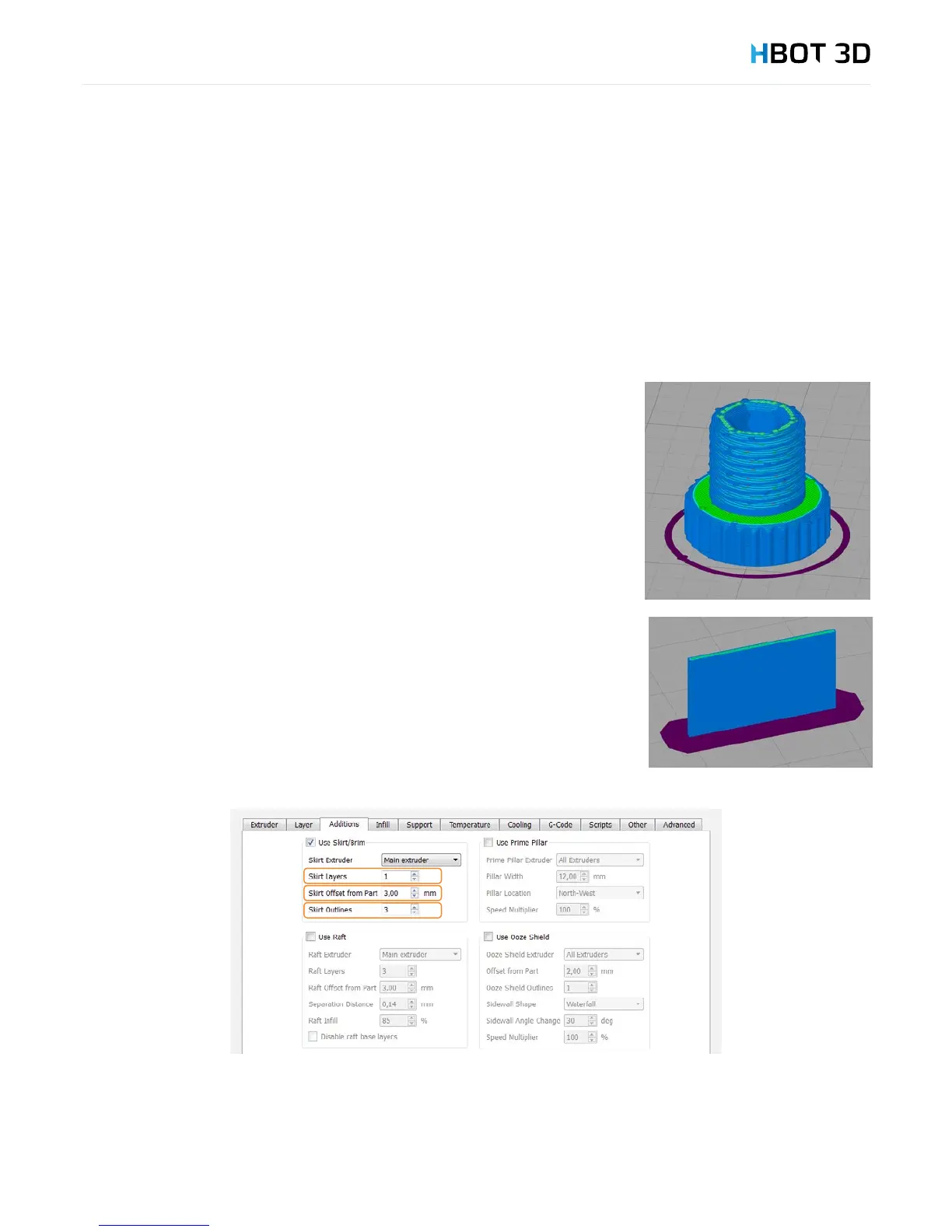
In this tab you can dene parameters of the initial outline.
Default outline, the so-called Skirt is an outline that does not touch the print and is generated
to stabilize the ow of material from the nozzle. For high prints with a small surface area
touching the printing platform, it is useful to create a wider rst layer (Brim) to help with
adhesion of the model to the printing platform.
To create a Brim around your model, set the Skirt Offset from Part parameter to 0 and the
Skirt Outlines to min. 10 (the more skirt outlines, the wider layer is attached to your model).
Also, for tall models and very small surface area of contact with the build platform you can
increase the number of Brim layers - Skirt Layers.


 To Next Page