32
Temperature tab
Parameters in this tab are critical for the print process to run correctly.
Without rst contacting our Technical Department it is not recommended that you modify any parameter in this tab.
Cooling tab
Parameters in this tab are critical for the print process to run correctly.
Without rst contacting our Technical Department it is not recommended that you modify any parameter in this tab.
G-code tab
Parameters in this tab are critical for the print process to run correctly.
Without rst contacting our Technical Department it is not recommended that you modify any parameter in this tab.
Scripts tab
Parameters in this tab are critical for the print process to run correctly.
Without rst contacting our Technical Department it is not recommended that you modify any parameter in this tab.
Other tab
Parameters in this tab are critical for the print process to run correctly.
Without rst contacting our Technical Department it is not recommended that you modify any parameter in this tab.
Advanced tab
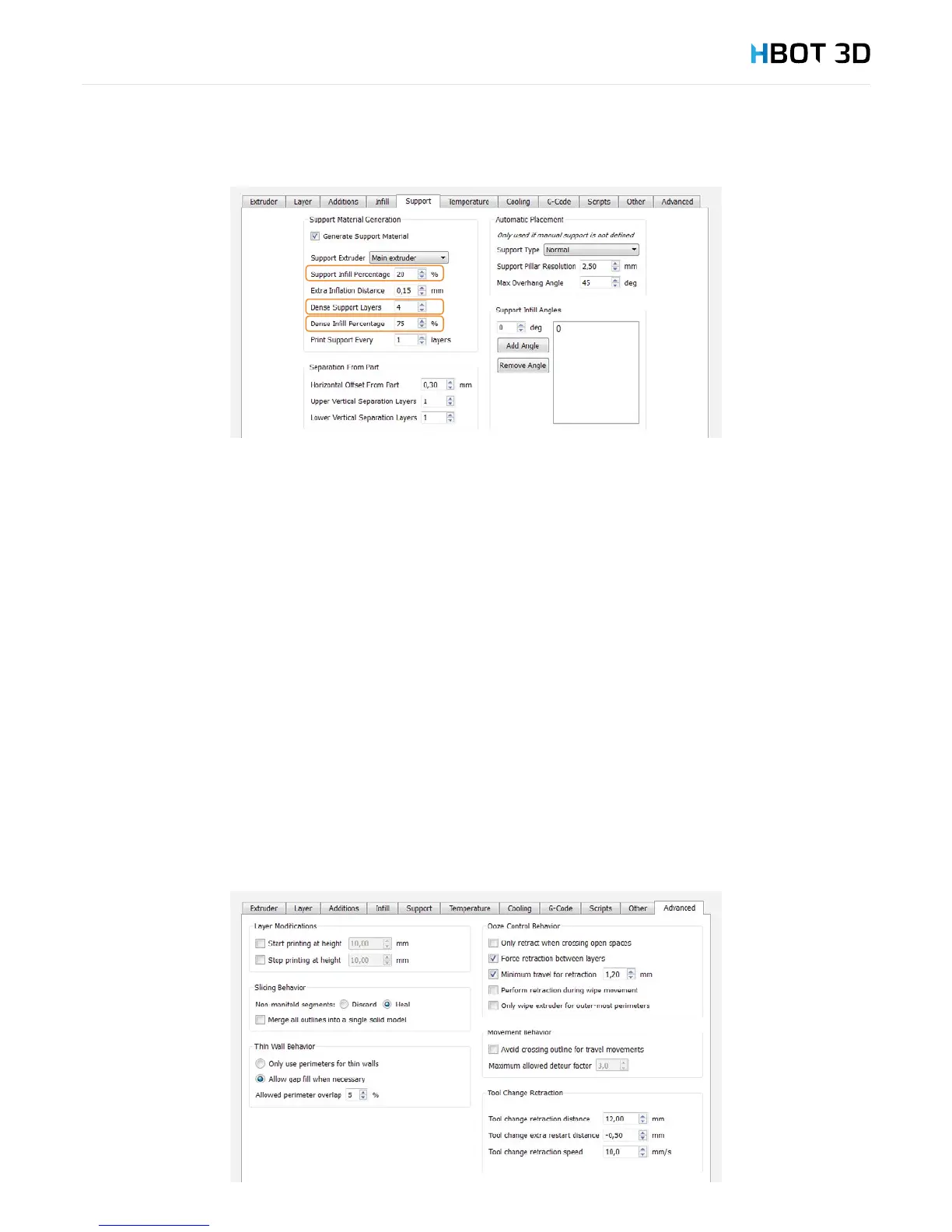
Using the Start printing at height and Stop printing at height options it is possible to start or stop a print at a specic model height.
It allows you to combine several processes in the same model and dene different settings for your print, e.g. different layer heights
or inll percentages. You need to remember that a next process must begin at the same height where the previous one has been
completed. Otherwise the print may fail.


 To Next Page