DAC-42(A)-x-PN
Page 62
DAC-42(A)-x-PN
Manual
Revision: 1.0
22.01.2024
2: Reading in process
4: Reading finished
8: Reading error occurred.
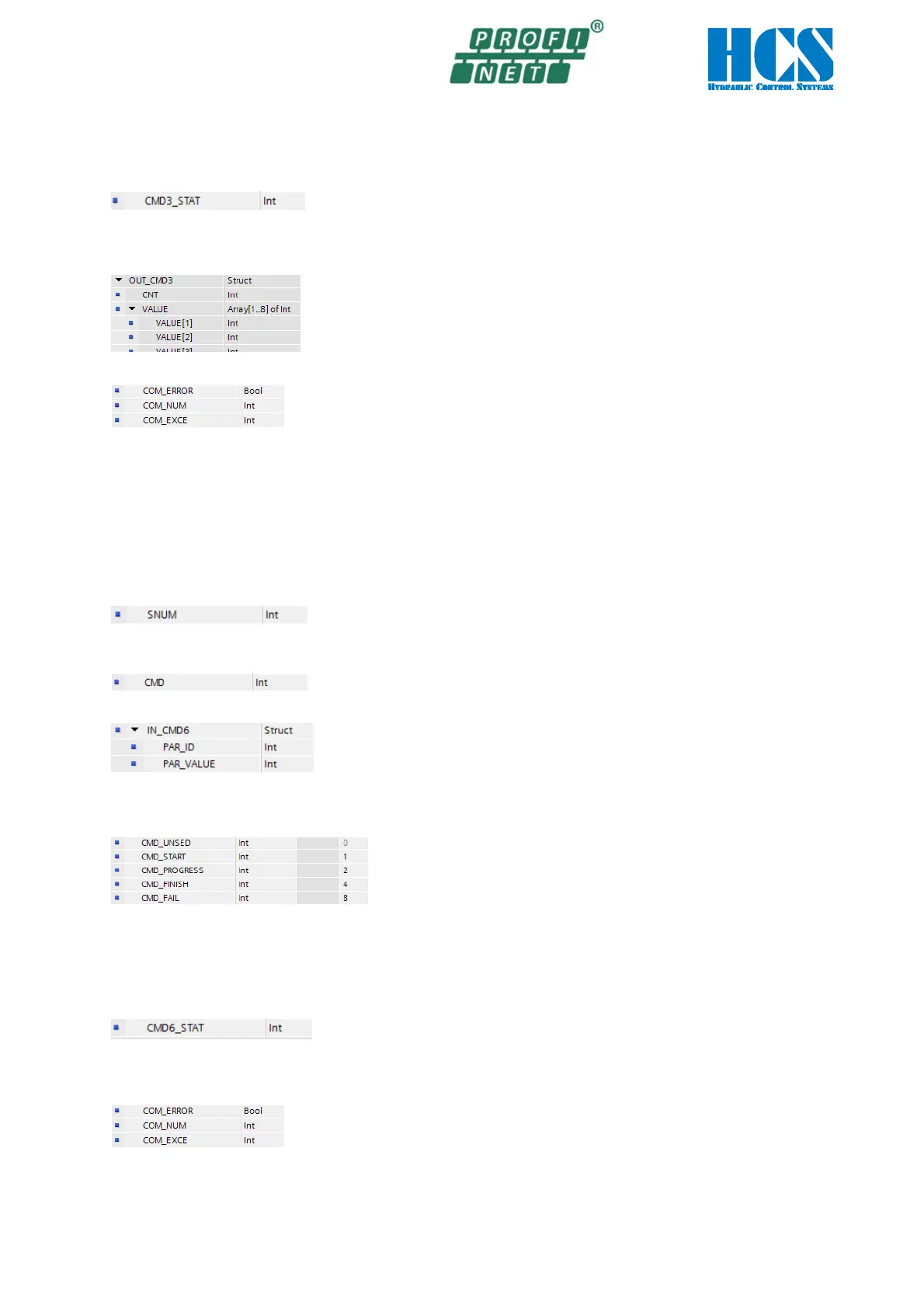
• Start the process, by writing #CMD3_STAT := 1; (CMD_START)
• When #CMD3_STAT reaches the value 4 (CMD_FINISH), Reading is finished, and the values can be read in the
structure #OUT_CMD.VALUE[1..8]. In addition, the number of received bytes will be shown I the structure
#OUT_CMD.CNT. Every read parameter needs to 2 bytes.
• If a reading error occurred, the reason for the error can be analyzed by checking the #COM_xxxxx outputs of the
function block.
10.4.5 CMD 6, Writing parameters the DAC-4x(A)
The written values are stored in a non-volatile memory.
The DAC-4x(A) connected to the Profinet has a fix SNUM (slave number). Together with this number it is possible to write
a new parameter value to the parameter ID of this device.
The parameter-ID’s are shown in table □ Chapter “11 List of parameters“, page 64
An parameter writing access is done as followed:
• The predefined slave number SNUM for the DAC4x(A) is 1.
For slave 1 #SNUM := 1;.
• Setup the CMD: # CMD := 6;
• Define the parameter ID and the value which should be changed.
E.g. parameter 22, S1.01 =1000 (1.0 V) #IN_CMD3.PAR_ID := 22;
#IN_CMD3.PAR_VALUE := 1000;
• Definition of the states in #CMD6_STAT:
0: no action
1: Start of writing
2: Writing in process
4: Writing finished
8: Writing error occurred.
• Start the process, by writing #CMD6_STAT := 1; (CMD_START)
• When #CMD6_STAT reaches the value 4 (CMD_FINISH), writing is finished
• If an writing error occurred, the reason for the error can be analyzed by checking the #COM_xxxxx outputs of the
function block.



 To Next Page