Unpacking and Setting up 1
TANGO / TANGO XL – Operation 1–19
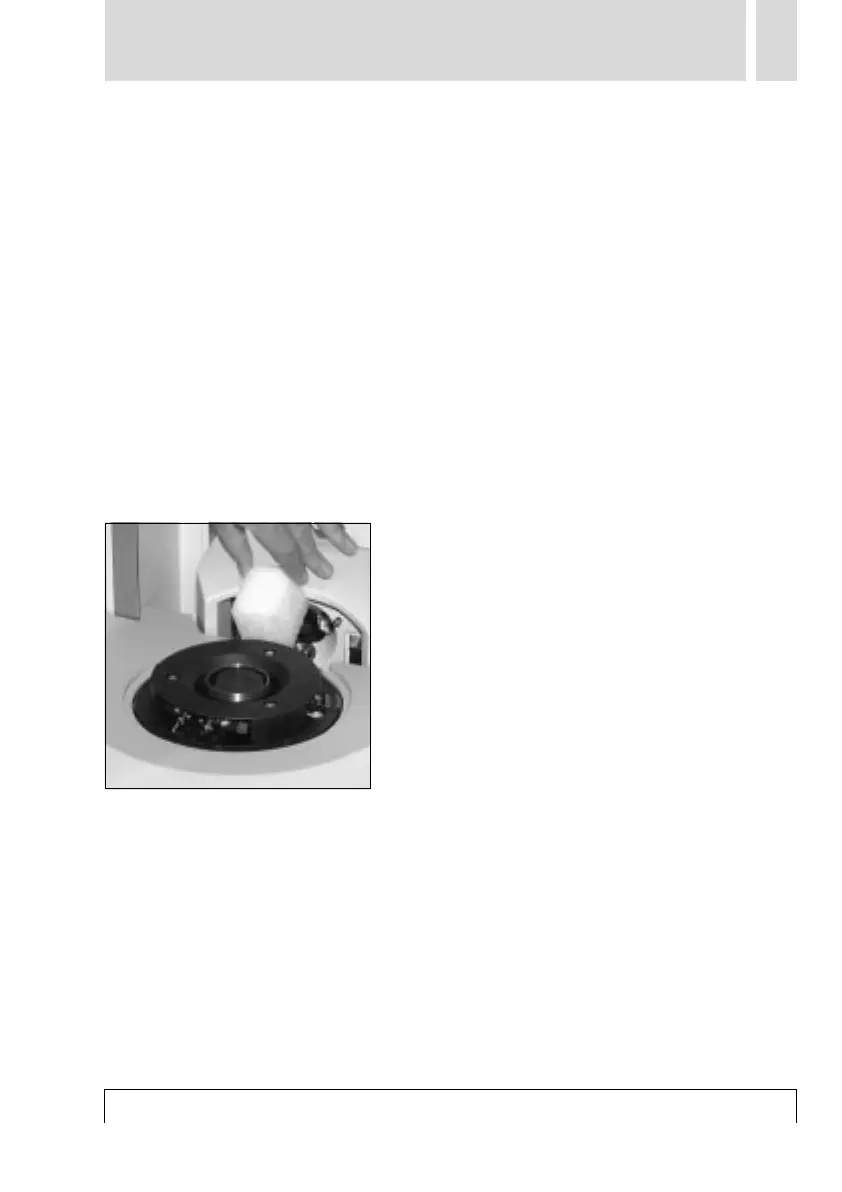
■ Removing the transport safeguard for the
scanning head (TANGO XL only)
1. Connect your TANGO XL to the operating
station and install LinoColor (see
Chapter 2).
2. Switch on the scanner and start LinoColor.
If you have connected more than one scan-
ner, select TANGO XL in LinoColor under
“Import/Source”.
3. The pilot lamps light up on the unit. While
the scanner is being initialized, the scan-
ning head moves backwards (position for
the 212-mm drum) from its transport posi-
tion (position for the 150-mm drum).
4. As a result, the transport safeguard is
released, allowing it to be removed to the
top.



 To Next Page