User manual
Manual EN V2.00 / 06-2009 36
9.8 How to set time and date
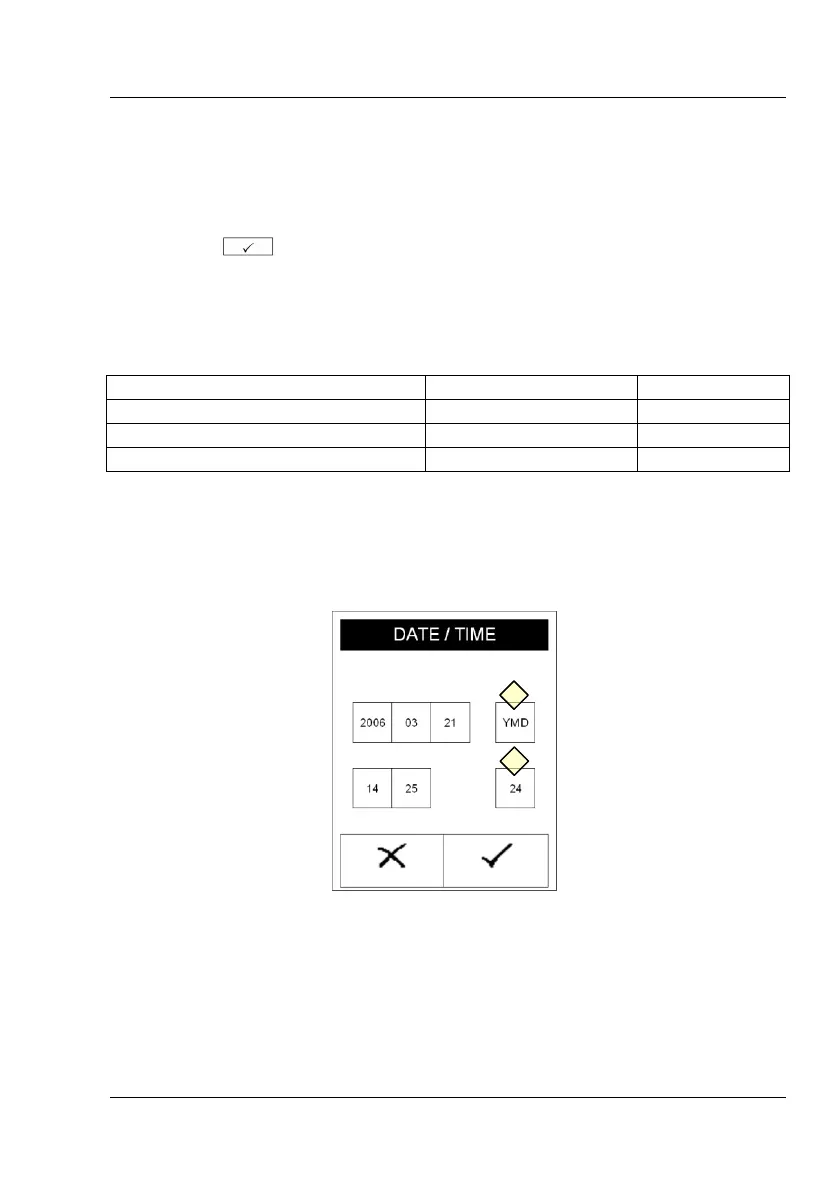
Select 'Date/Time' in the setting menu. To change, press on the respective
number. A numerical pad appears. Enter the correct number and confirm
by pressing .
The date may be formatted in three ways. The active format is shown on a
button (Display 23-1) on the right hand side of the date. Select a date
format by pressing this button.
Displayed Format Abbreviation
The time format may be changed to 12 or 24 hours with the button
displayed next to the time (Display 23-2).



 To Next Page