User manual
Manual EN V2.00 / 06-2009 46
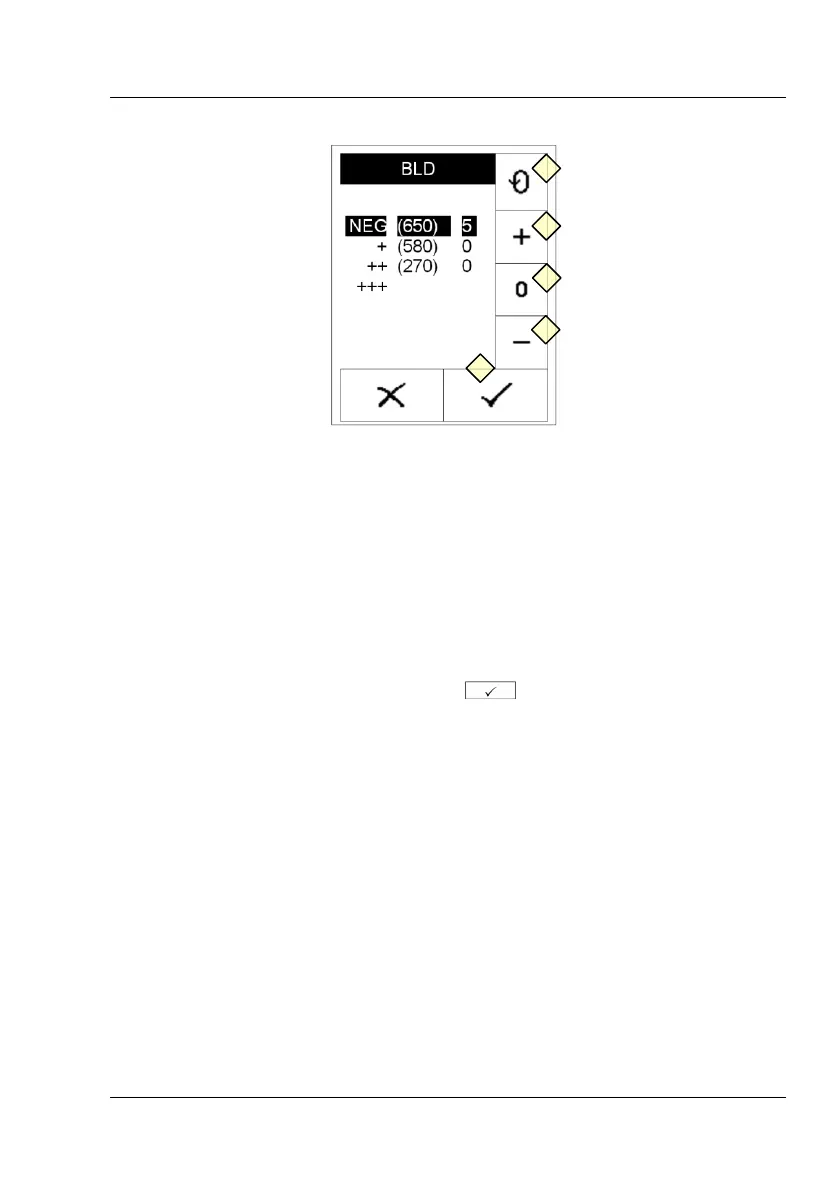
Display 31 : Sensitivity C
Display 31 will appear. Press (Display 31-5) to select the value that you
would like to modify. Three informations are in each line:
Reported value - (original threshold) – modification
Press the buttons (Display 31-6) and (Display 31-8) to increase or
decrease the threshold value. Press (Display 31-7) to return to the original
threshold value.
Confirm your modifications by pressing .
12.4 How to update the instrument
Select 'Program update' from the service menu. The instrument now
expects the upload of a new firmware. Follow the instructions that come
with the update-file to finalize the update process.



 To Next Page