28
Dispense Medication
Hero will dispense medication according to the schedule in your account, as well as
on demand. Make sure your medication cup is in place before dispensing.
Dispense a Scheduled Dose
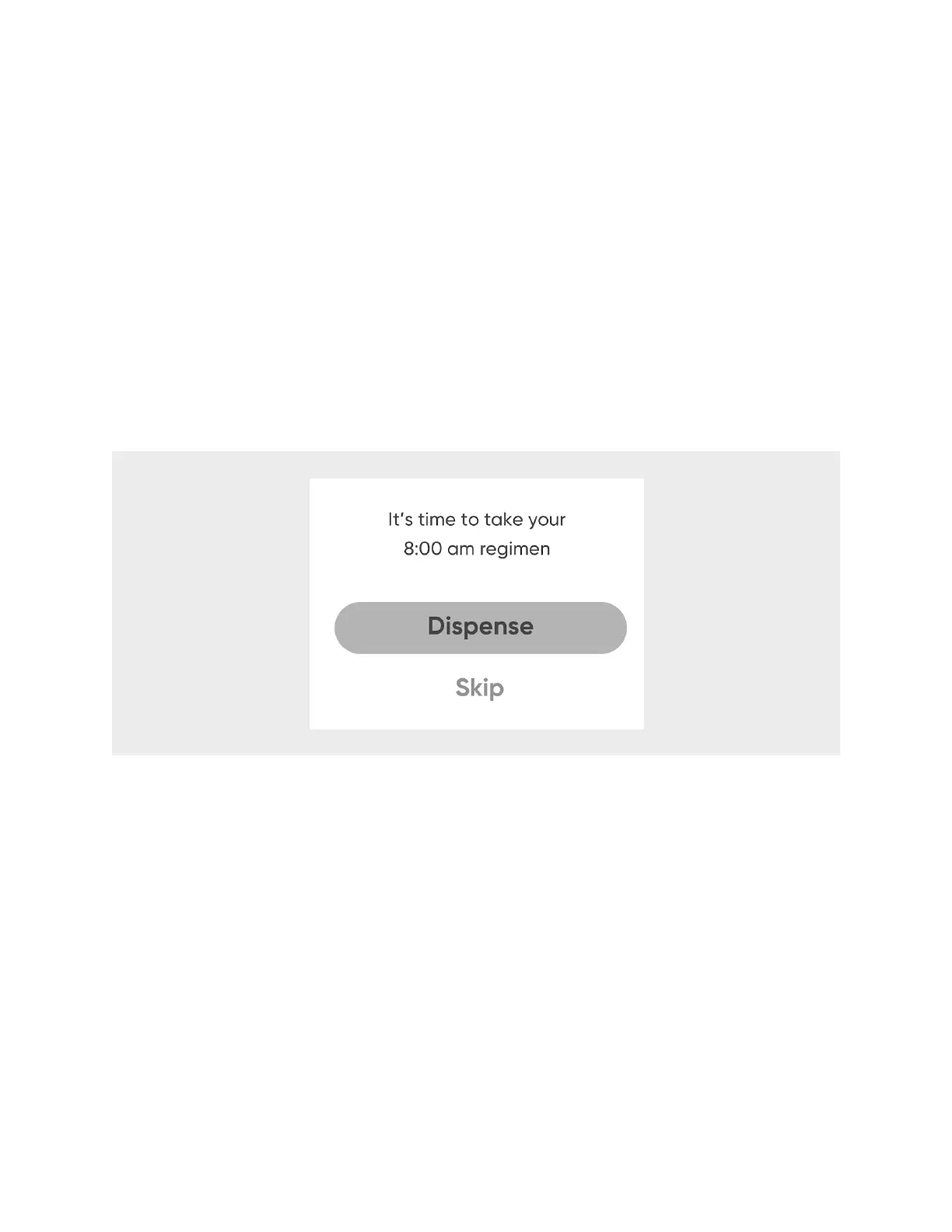
A few minutes prior to a scheduled dose time, Hero’s screen will display that it’s almost
time for your regimen. You can choose to dispense up to 30 minutes early, and if you
do, that dose will be recorded as having been dispensed on time. If you do not
dispense early, then at the scheduled dose time, Hero will display a reminder that it is
time to dispense your medication. In either case:
1. On Hero, select
Dispense
.
2. Confirm the regimen by selecting
Dispense
again.
3. Enter your safety lock passcode if necessary. Hero will dispense your medication.
4. Retrieve your pills and replace the medication cup.
Skip a Scheduled Dose
Hero also allows you to skip a scheduled dose.!
1. When Hero alerts you that it’s time for your scheduled dose, select
Skip
.!
2. Confirm your choice by selecting
Yes
.!
Your skipped dose will be recorded in
Adherence
. See Stats for more information.
NOTE:
You can dispense skipped or missed doses up to four hours after their
scheduled dispense time. See Dispensing a Missed/Skipped Dose.












 To Next Page