70
5. Once the Hero cartridge door opens, remove the cartridge and place the
medication in a labeled bottle.
6. Return the cartridge to Hero and close the cartridge door.
7. Repeat steps 5-6 until all cartridges have been emptied.
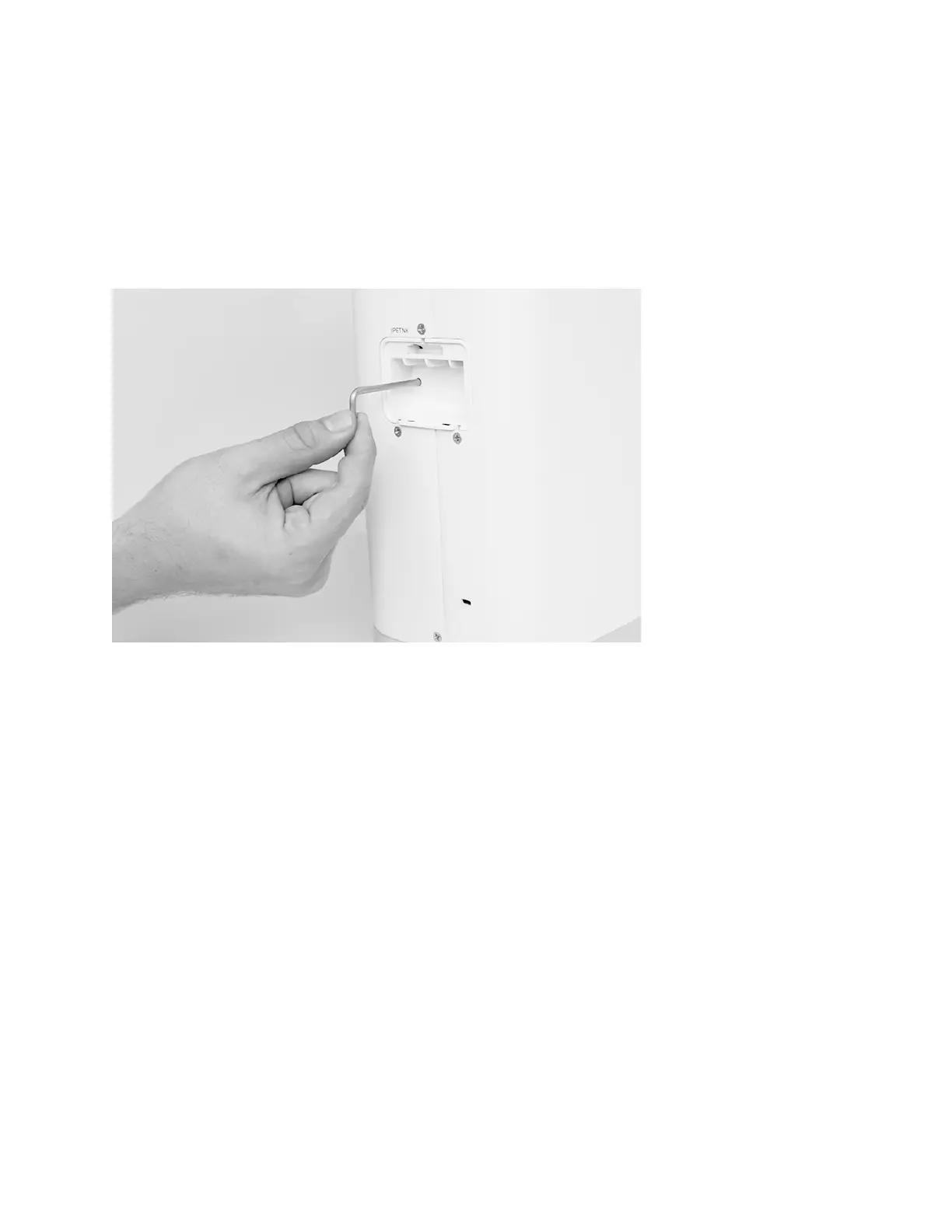
8. Locate the lock compartment on the back of Hero and remove the cover.
9. Insert the long end of the travel lock into the hole in the lock compartment.
WARNING:
Do not force the travel bar into Hero. If you feel some resistance inserting
the travel lock, rotate the lock until it slides in farther. The compartment cover will not
close unless the lock is properly inserted.
10. Replace the cover.
11. On Hero, select
Done
. Hero can sense if the travel bar has been put properly in
place. It will ask you to try again if it senses the bar isn’t sitting properly.
12. Unplug Hero.
NOTE:
While Hero is unplugged, you will not receive any notifications and you will
not be able to make any changes to your account.
After you plug Hero back in:
1. On Hero, select
Get Started
.












 To Next Page