16
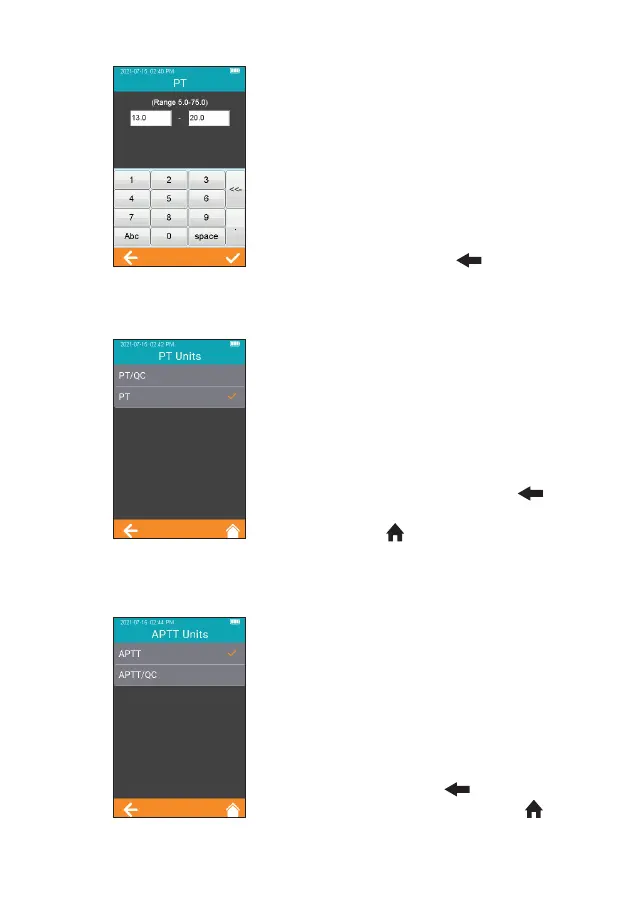
Click any value in the Reference
Range table to automatically enter
the menu which allows the user
to modify the value, and the user
can re-modify the upper and lower
limits (Figure 2-12) within the given
setting range. After the value range
is modied, if the test result is below
the lower limit, a popup will prompt,
"Illegal Input". Click " " to return
to the previous screen.
7.4.4 PT Units
Click “PT Units” from Test Parameter
menu (Figure 2-6) to enter the PT
Units menu (Figure 2-13). Default
format is PT. The display format
of the PT test result can be set
as required. The available display
formats are: PT/QC and PT. After
selecting a format, PT test result is
displayed accordingly. Click " "
to return to the previous screen
and click " " to return to the main
menu.
7.4.5 aPTT Units
Click “APTT Units” from Test
Parameter menu (Figure 2-6) to
enter the APTT Units menu (Figure
2-14). Default format is APTT. The
display format of the APTT test
result can be set as required. The
available display formats are: APTT
and APTT/QC. After selecting a
format, APTT test result is displayed
accordingly. Click " " to return to
the previous screen and click " "
to return to the main menu.
2-12
2-13
2-14



 To Next Page