15
In addition to the Codechip menu, a Codechip can be installed during the
test. When testing with a test strip or control, and an installed Codechip,
the installation operation is no longer required during the test; otherwise,
the system enters the prompt menu which enables the user to install the
desired Codechip accordingly.
The Codechip provides the analyzer with important information to perform
the coagulation test. The chip contains information about the test strip
code, the lot number, and the expiration date. The Codechip is required,
whenever a new test strip lot is used, so that the analyzer can read and
store the lot information about that particular lot of test strips.
●
Do not forget to load the test strip Codechip that is supplied with
each pack of test strips before you perform the first test with these
strips. We recommend that you leave the Codechip in the analyzer
to protect the electrical contacts in the analyzer from becoming
dirty.
●
Each Codechip belongs to a particular lot of test strips. Only
remove the Codechip when you are testing with test strips taken
from a new pack.
●
Protect the Codechip from moisture and equipment that produces
magnetic fields.
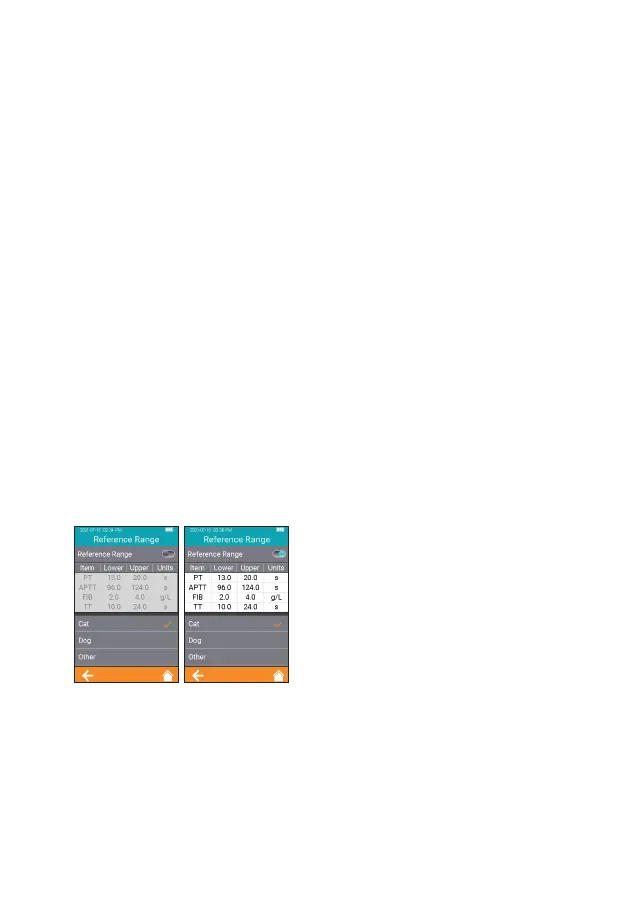
7.4.3 Reference Range
Click "Reference Range" from
Test Parameter screen (Figure
2-6) to enter the screen (Figure
2-11) that prompts the user to set
the reference range switch. Gray
button indicates the reference range
function is disabled and teal button
indicates the reference range is
enabled.
2-11



 To Next Page