18
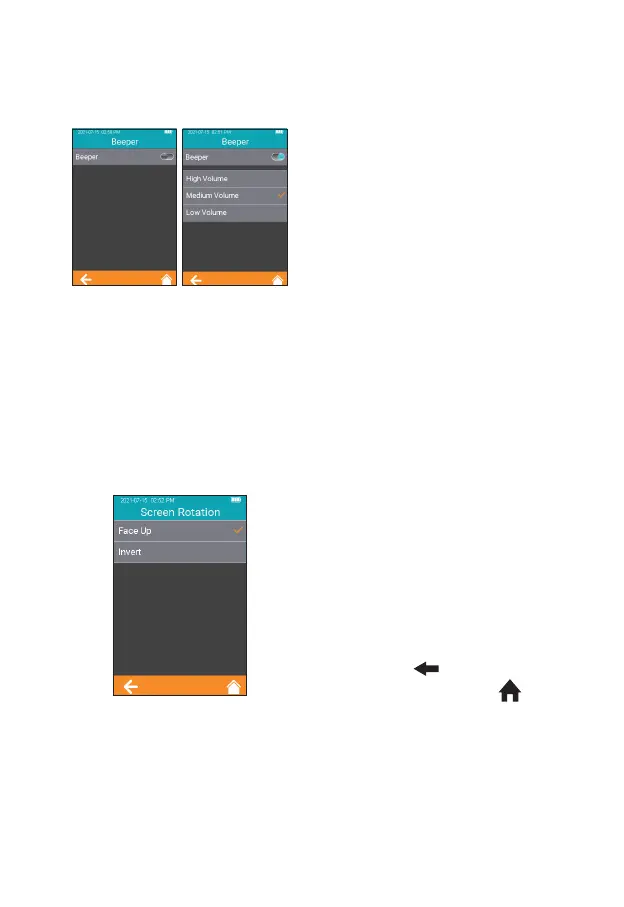
7.5.2 Beeper
Click "Beeper" from the System
Parameter screen (Figure 2-15)
to enter the screen (Figure 2-17)
that prompts the user to set the
beeper. The beeper is turned off
when the Beeper button is grayed
out. The beeper is turned on when
the Beeper button is teal, and the
user can set different volumes: high,
medium and low. After the beeper
is turned on, it will “beep” in any of
the following circumstances: the
instrument is turned on, the test
strip is inserted successfully, scan is
performed successfully, the heating
is completed, the sample is added,
the test is completed, and the
instrument enters sleep mode.
7.5.3 Screen Rotation
Press "Screen Rotation" from the
System Parameter screen (Figure
2-15) to enter the screen for
selecting screen rotation (Figure
2-18). Change the settings and
rotate the screen for 180°, then
the text direction is adjusted
automatically. The test strip is
inserted from the lower part by
default. Click " " to return to the
previous screen and click " " to
return to the main menu.
2-17
2-18



 To Next Page