19
7.5.4 Brightness Adjustment
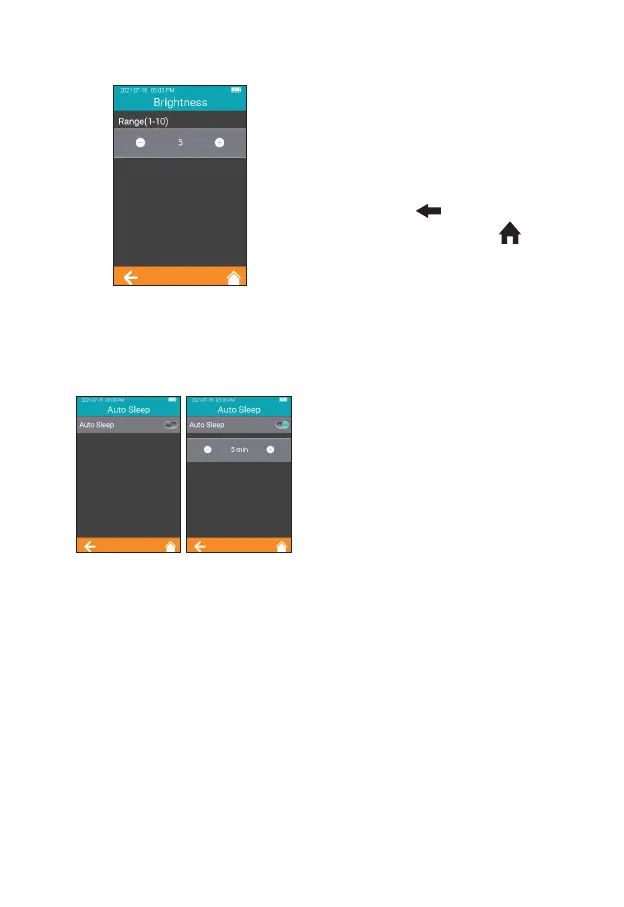
Click "Brightness" from the
System Parameter screen (Figure
2-15) to enter the brightness
adjustment screen (Figure 2-19).
The adjustment range is between 1
and 10. Click " " to return to the
previous screen and click " " to
return to the main menu.
7.5.5 Sleep Setting
Click "Auto Sleep" from the System
Parameter screen (Figure 2-15)
to enter the Sleep Setting screen
(Figure 2-20). The Auto Sleep
function is turned off when the
button is grayed out. The Auto
Sleep function is turned on when
the button is teal, and the user can
set the idle time value before the
instrument enters Auto Sleep mode.
Insert the test strip or re-power the
instrument to wake it up from the
sleep mode.
2-19
2-20



 To Next Page