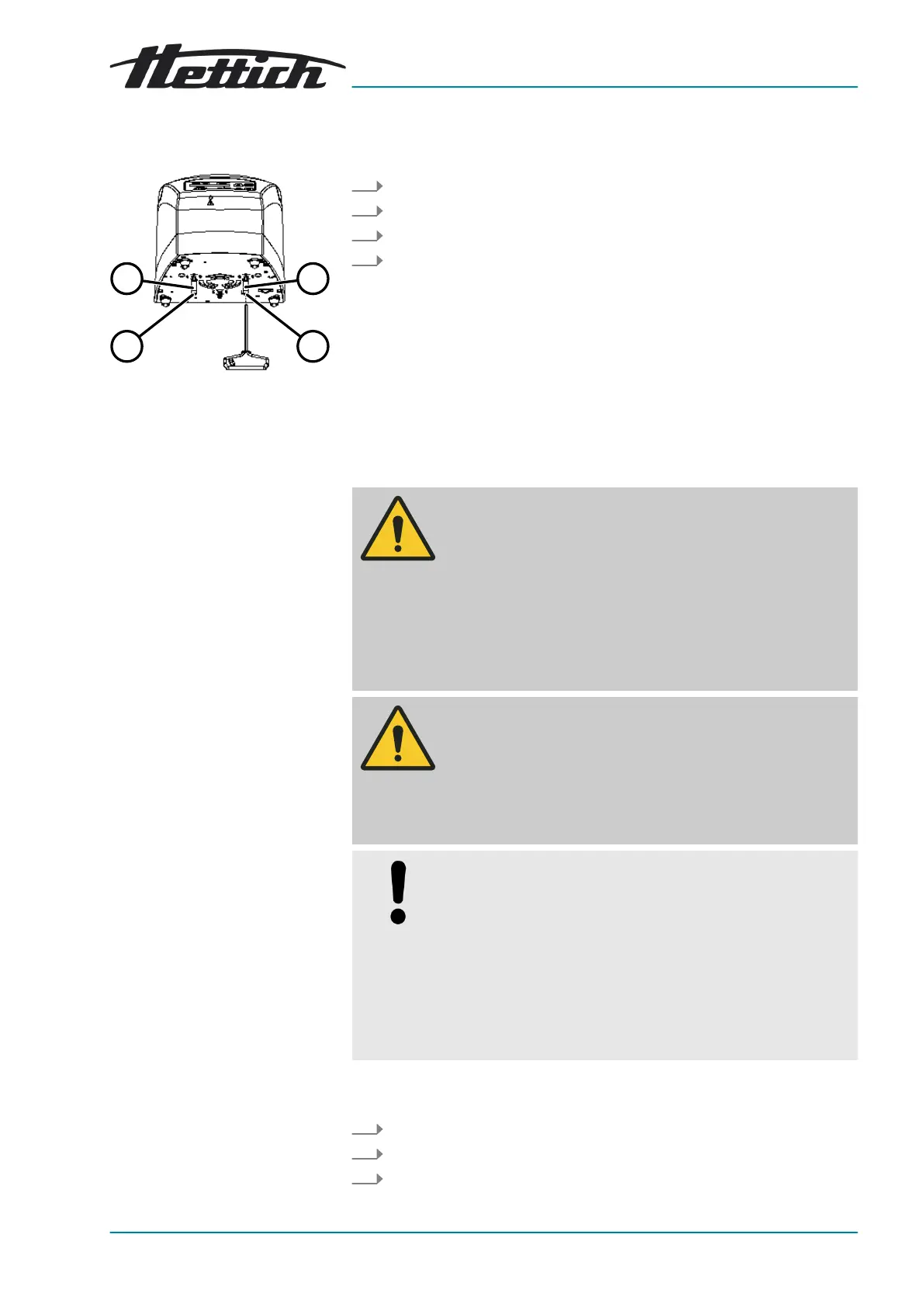
Fig. 14: Transport lock
1 Spacer sleeve
2 Screw
Setting up the centrifuge
The lid is closed.
The mains cable is disconnected from the device.
1. Tilt the device on the back of the device.
2. Unscrew 2 screws (
2
).
3. Remove 2 spacer sleeves (
1
).
4. Keep the screws and spacer sleeves in a safe place.
5.3 Setting up and connecting the centrifuge
WARNING
Risk of injury due to failing to maintain a sufcient distance to
the centrifuge.
− As per EN/IEC 61010-2-020, no persons, hazardous
materials or objects may be present within a safety zone
of 300mm around the centrifuge during a centrifugation
run.
−
A distance of 300mm from the ventilation slots and ven-
tilation openings of the centrifuge must be maintained.
CAUTION
Risk of crushing and damage to the device due to it falling
down because of vibration-induced position alterations.
− Place the device on a stable and level surface.
− Select the installation surface dependent on the weight
of the device.
NOTICE
Damage to the samples and the device if the ambient
temperature exceeds or falls below the respective max-
imum/minimum permissible ambient temperature.
−
Comply with the maximum and minimum permissible
ambient temperatures for installation of the device.
−
Do not place the device next to a heat source.
− Do not expose the device to direct sunlight.
− Do not expose the device to frost.
Personnel:
■ Trained user
1.
Place the device on a stable and level surface.
2.
Maintain a distance of 300mm around the device.
3.
Comply with the ambient conditions in the technical data (⮫
Chapter 3
‘Device overview’ on page 9
).














 To Next Page