7. Use the
[t]
buttons to set the desired value.
A numerical value from 10mm to 250mm can be set.
Adjustable in 1 millimetre increments
8. Press the
[SELECT]
button.
🡆 Relative centrifugal force
‘RCF’
is displayed.
9. Use the
[t]
buttons to set the desired value.
A numerical value can be set that gives a speed between 200RPM
and the maximum rotor speed.
Adjustable in 1 second increments.
10. Press the
[SELECT]
button.
🡆 The DEC brake level is displayed.
fast: short ramp-down time
slow: long ramp-down time
11. Use the
[t]
buttons to set the desired value.
12. Press the
[START/PULSE]
button.
🡆 The settings are stored.
7.1.2
Runtime t
1.
Use the
[t]
buttons to set the desired value
🡆 The value is set up to 1 minute in 1 second increments.
The value is set from 1 minute in 1 minute increments.
Adjustable from 1 to 99 minutes and 1 to 59 seconds.
2. The parameters t/min and t/sec must be set to zero to set continuous
operation.
🡆
‘--:--’
is displayed.
7.1.3
Speed, RPM
1.
Press the
[RCF]
button to select the RPM indicator.
🡆 Press the
[RCF]
button to toggle between the two parameters
RPM (
‘RPM’
) and RCF (
‘>RCF<’
).
2. Use the
[RPM/RCF]
buttons to set the desired value.
A numerical value from 200RPM to the maximum rotor speed can be
set.
Adjustable in 10 second increments.
7.1.4
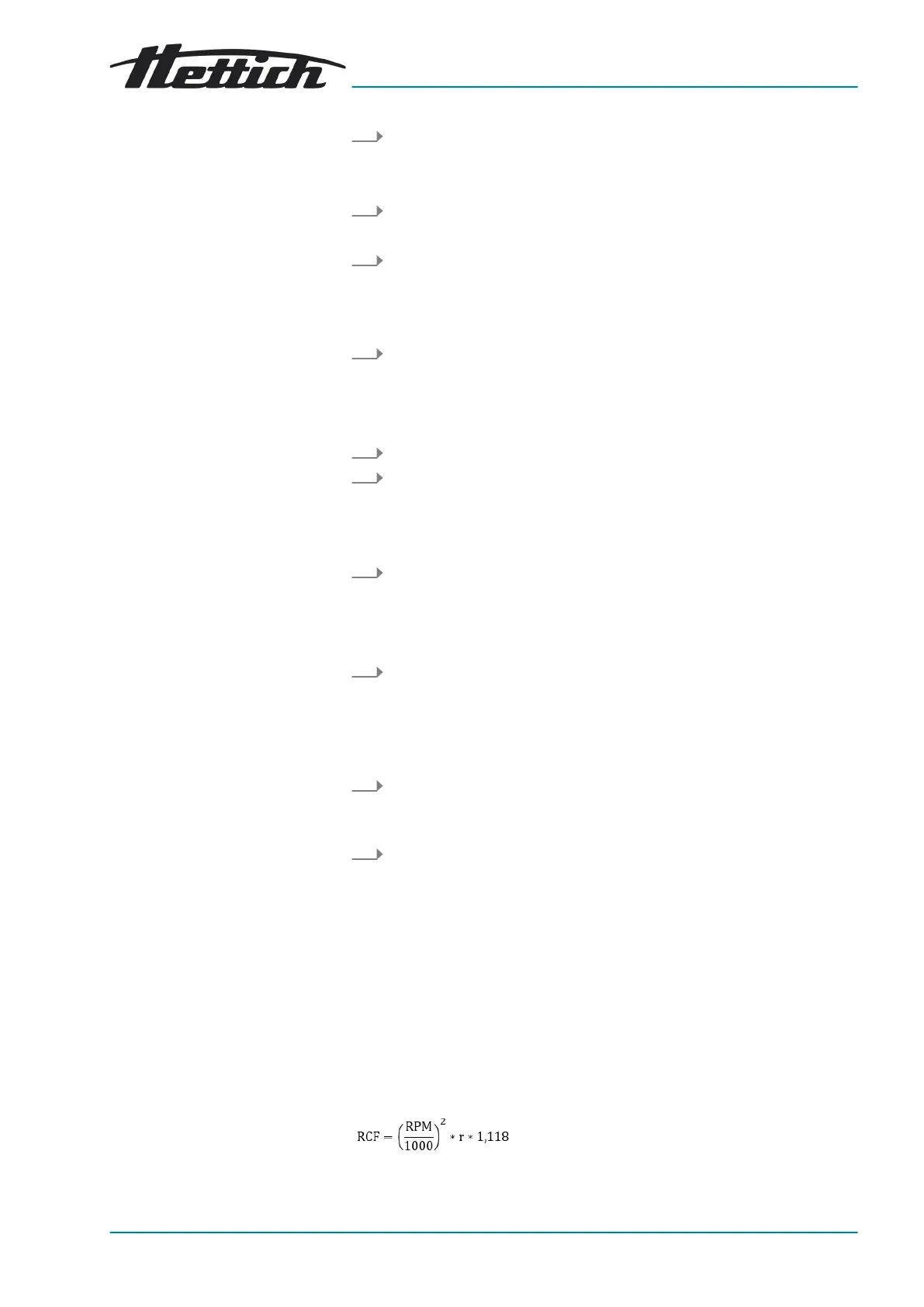
Relative centrifugal force, RCF
The relative centrifugal force RCF is dependent on the speed and the centri-
fuging radius.
The relative centrifugal force RCF is stated as a multiple of the acceleration
due to gravity (g).
The relative centrifugal force RCF is a dimensionless numerical value and is
used to compare the separation and sedimentation performance.














 To Next Page