DS-A80&81 Series Storage System User Manual
104
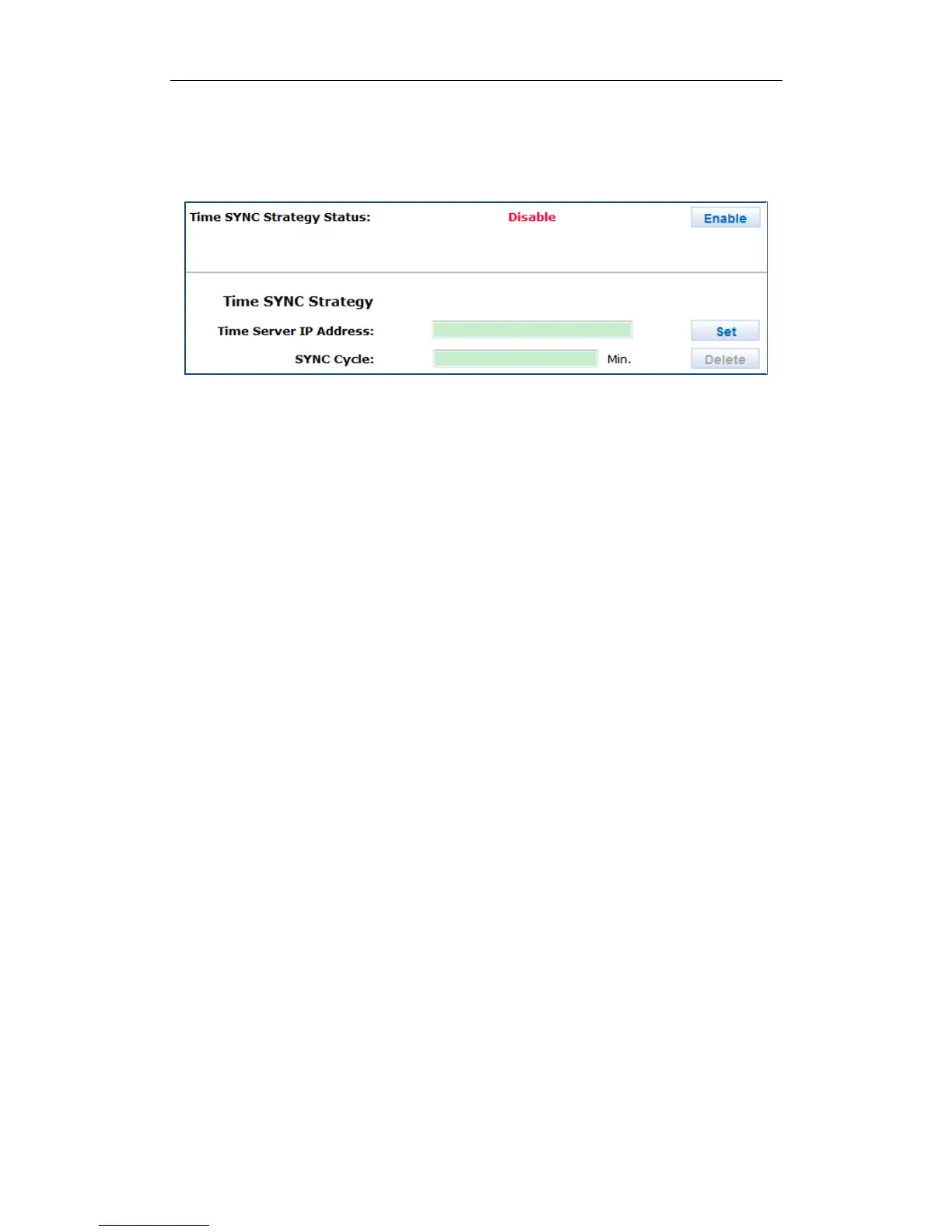
1. Click Enable of SYNC Strategy Status (Synchronization Strategy Status).
2. Enter Time Server IP Address in text field
3. Enter SYNC Cycle (Synchronization Cycle) in text field.
4. Click Set to start time synchronization.
Figure 8. 20 Synchronize Time
8.4 Tool
For details, refer to section 3.3.4 Application Service.


 To Next Page
 Loading...