DS-A80&81 Series Storage System User Manual
43
5.1.2 Modifying CHAP User
Purpose:
You can modify the password of added users.
Before you start:
If the CHAP going to be modified is linked to one or more iSCSIs and these iSCSIs are connecting with computers,
you need to disconnect them from computer first.
Steps:
1. Click button to enter Modify CHAP User Interface.
2. Enter the CHAP username you want to modify in the text field.
3. Enter a new Password and Retype password.
4. Click OK and click OK in confirmation dialog box to modify the CHAP user.
5.1.3 Enabling iSCSI
Purpose:
Enabling iSCSI in storage system makes it possible for you to add iSCSI disks in computer.
Steps:
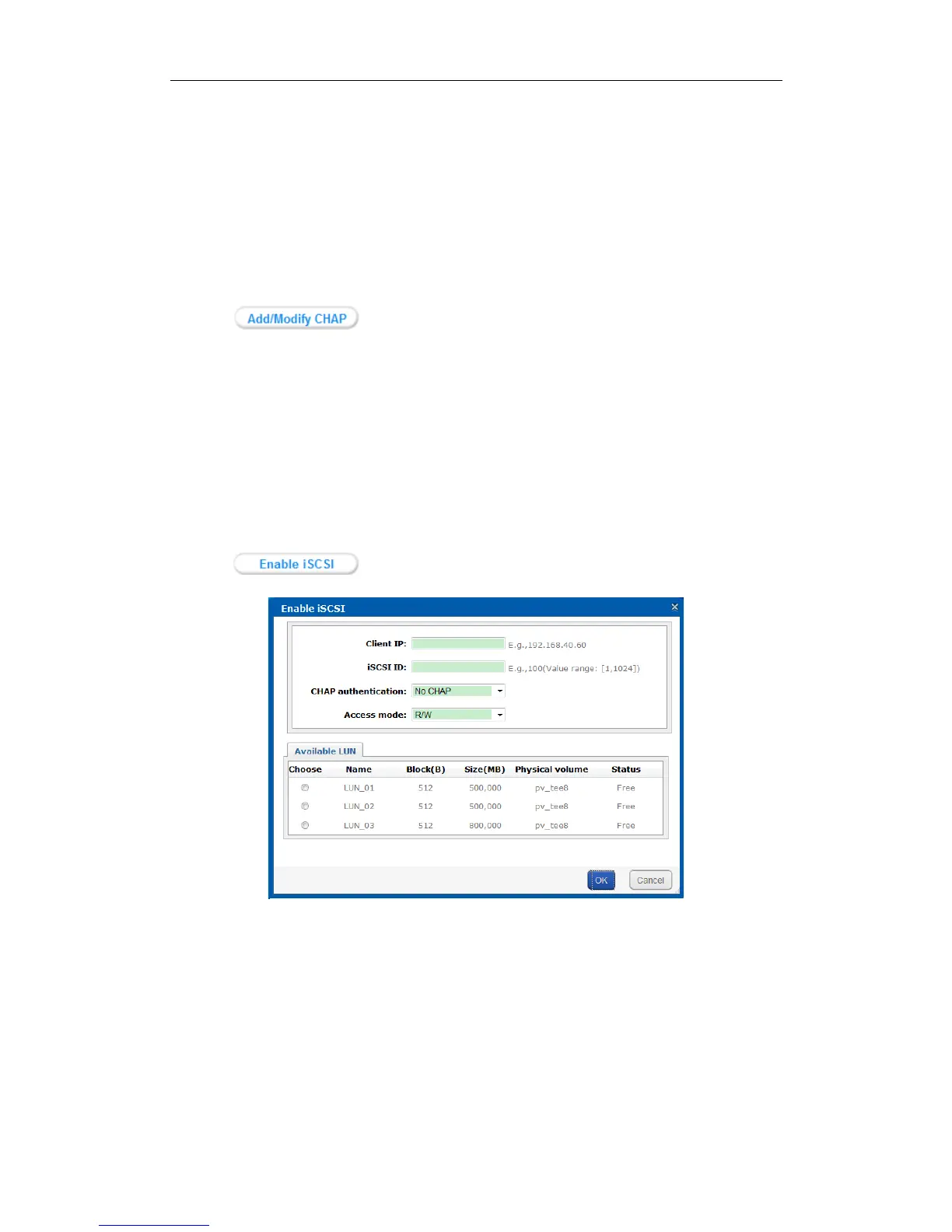
1. Click button to pop up Enable iSCSI interface.
Figure 5. 5 Enable iSCSI
2. Enter Client IP and iSCSI ID.
Client IP: To turn on iSCSI for a specified client (computer), enter the client’s IP address. To turn on
iSCSI for multiple clients, enter 0.0.0.0 in the text field.
iSCSI ID: It is used to distinguish iSCSI from each other. Specify an integer between 1 and 1024. It is
recommended to specify a dedicated ID for each iSCSI.
3. Select the identity authentication method in the dropdown list of CHAP authentication.
No CHAP: There is no limit for client access.
Other CHAP user: Correct CHAP user name and password are needed for client to get access to LUN.


 To Next Page
 Loading...