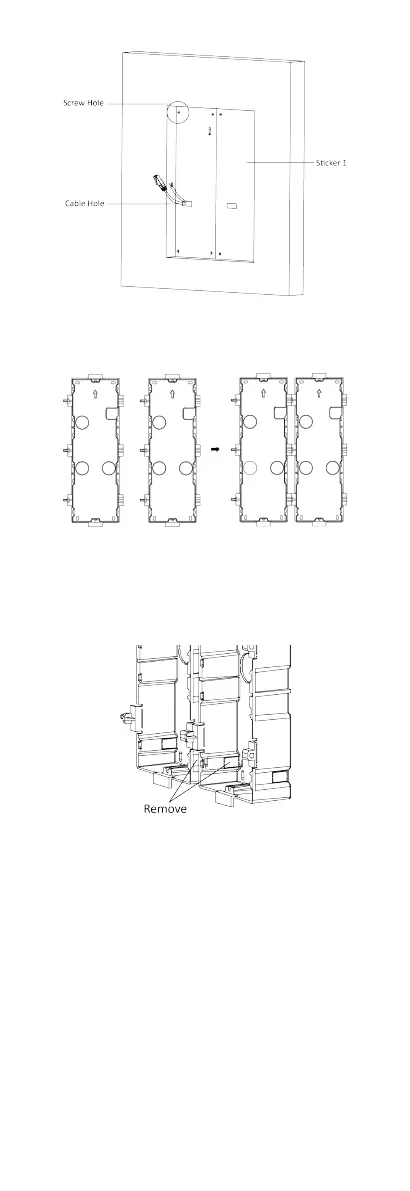
Figure 4-41 Cave the Installaon Hole
2. Connect two gang boxes as below.
Figure 4-42 Connect Two Gang Boxes
3. Select a cable entry and remove the plasc sheet.
4. Remove the
plasc sheets on the side of the gang boxes
(shown as 1 and 2) below:
Figure 4-43 Remove the Plasc Sheets
5.
Mark the gang box screw holes on the wall.
1) Route the cables through the gang box hole.
2) Insert the gang box into the installaon hole.
3) Mark the gang box screw holes' posion with a marker, and
take out the gang box.
31


 To Next Page
 Loading...











