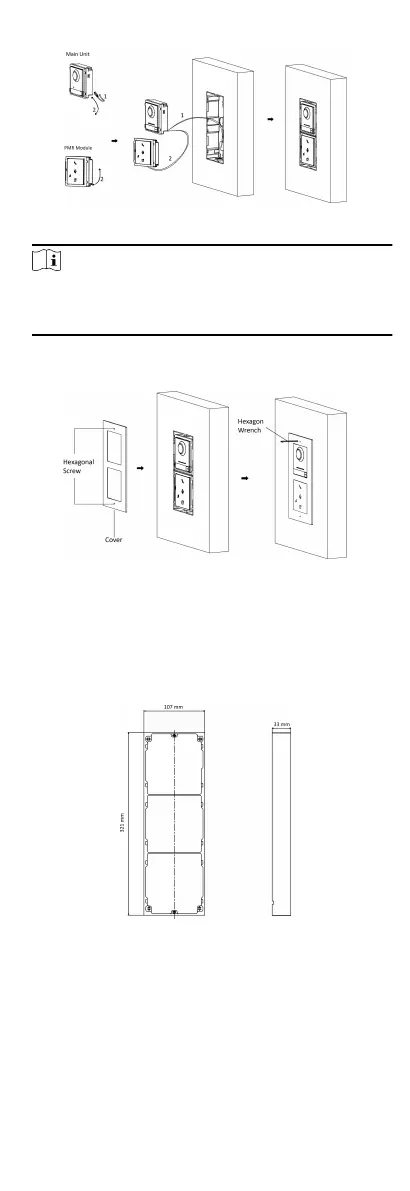
Figure 4-14 Connect Cables and Insert the Modules
Note
Cable 1 refers to the cables pulled out from the wall that
connected to the main unit. Cable 2 refers to the module-
connecng line in the accessory package.
8. Fix the cover with 2 socket head cap screws by using a hexagon
wrench (supplied).
Figure 4-15 Fix the Cover
4.3 Three-Module Installaon
4.3.1 Three-Module Surface Installaon
Before You Start
Figure 4-16 Mounng Frame
19


 To Next Page
 Loading...











