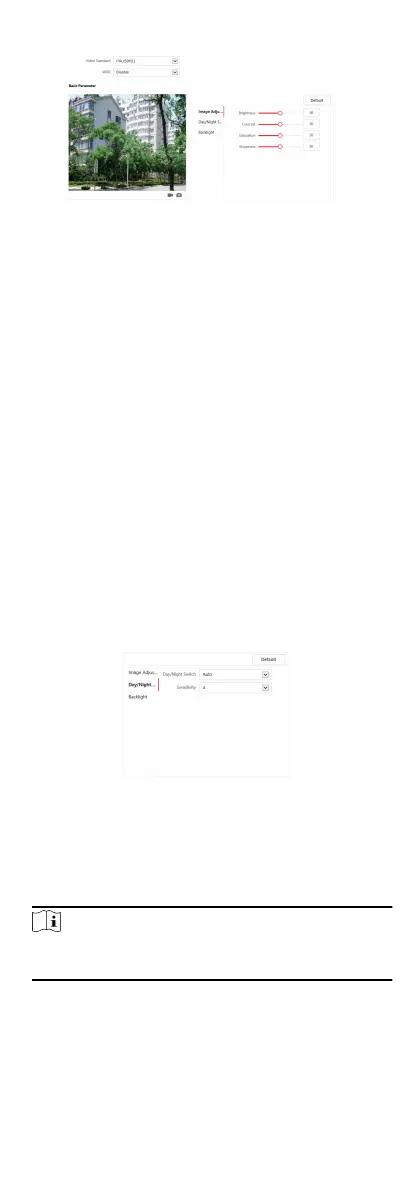
Figure 6-12 Display Sengs
2. Select the Format.
3. Set the display parameters.
WDR
Wide Dynamic Range can be used when there is a high
contrast of the bright area and the dark area of the scene.
Brightness
Brightness describes bright of the image, which ranges from
1 to 100.
Contrast
Contrast describes the contrast of the image, which ranges
from 1 to 100.
Saturaon
Saturaon describes the colorfulness of the image color,
which ranges from 1 to 100.
Sharpness
Sharpness describes the edge contrast of the image, which
ranges from 1 to 100.
4. Set the Day/Night Mode.
Figure 6-13 Day/Night Mode
-
Set Day Mode or Night Mode manually.
-
Set the mode as Auto and edit the
sensivity according to
your needs.
-
Set the mode as Scheduled-Switch. Set the start me and
end
me.
Note
Dayme is from congured start me to congured me. The
rest of the me is set as night by default.
5. Set the backlight parameters.
45


 To Next Page
 Loading...











