User Manual of Network Camera
99
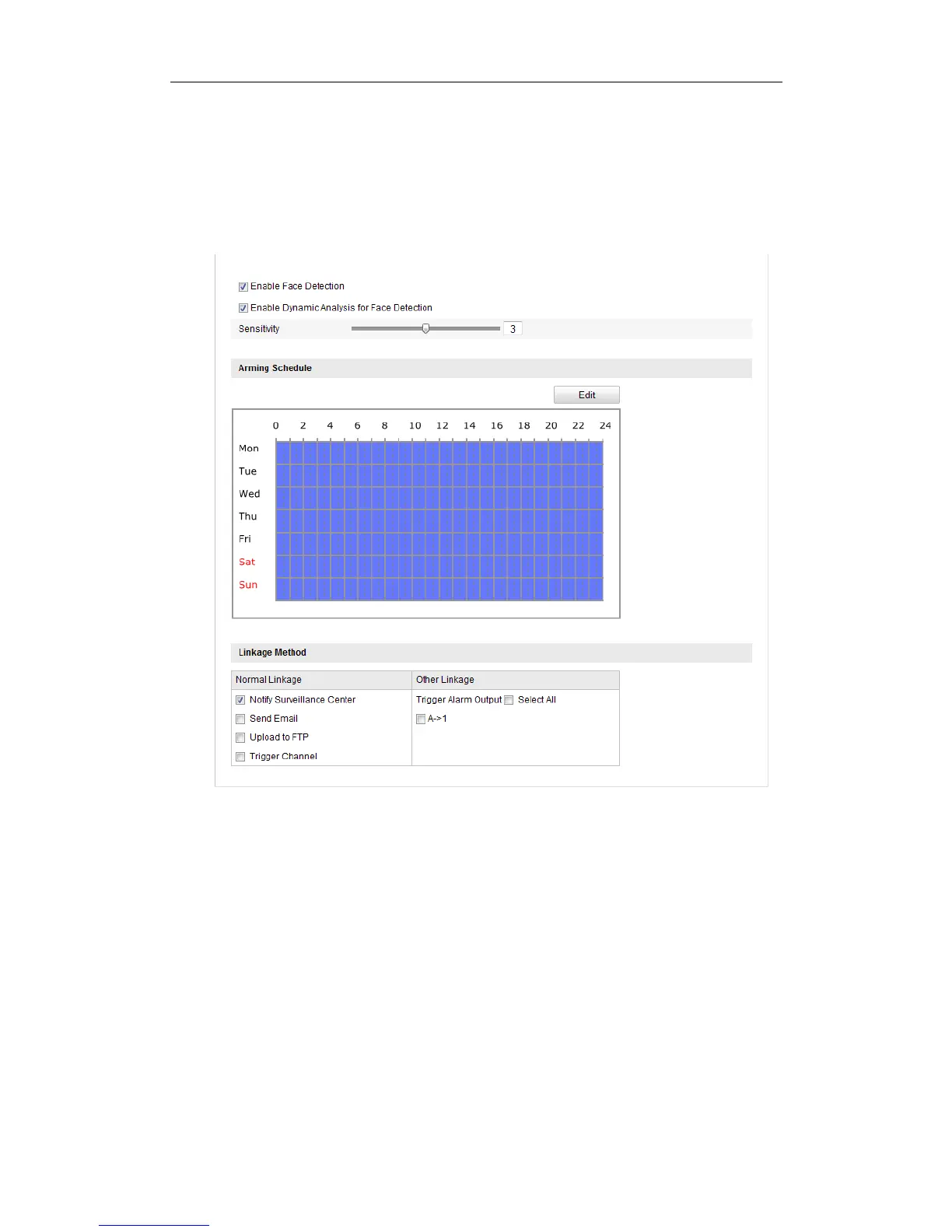
5. Click the Edit button to set the arming schedule.
6. Select the linkage methods for face detection, including Notify Surveillance
Center, Send Email, Upload to FTP, Trigger Channel and Trigger Alarm Output.
7. Click Save to save the settings.
Figure 6-61 Configuring Face Detection
6.6.11 Configuring Line Crossing Detection
Purpose:
Line crossing detection function detects people, vehicle or other objects which cross a
pre-defined virtual line, and some certain actions can be taken when the alarm is
triggered.
Note: Line crossing detection function varies according to different camera models.
Steps:





 To Next Page