User Manual of Network Camera
150
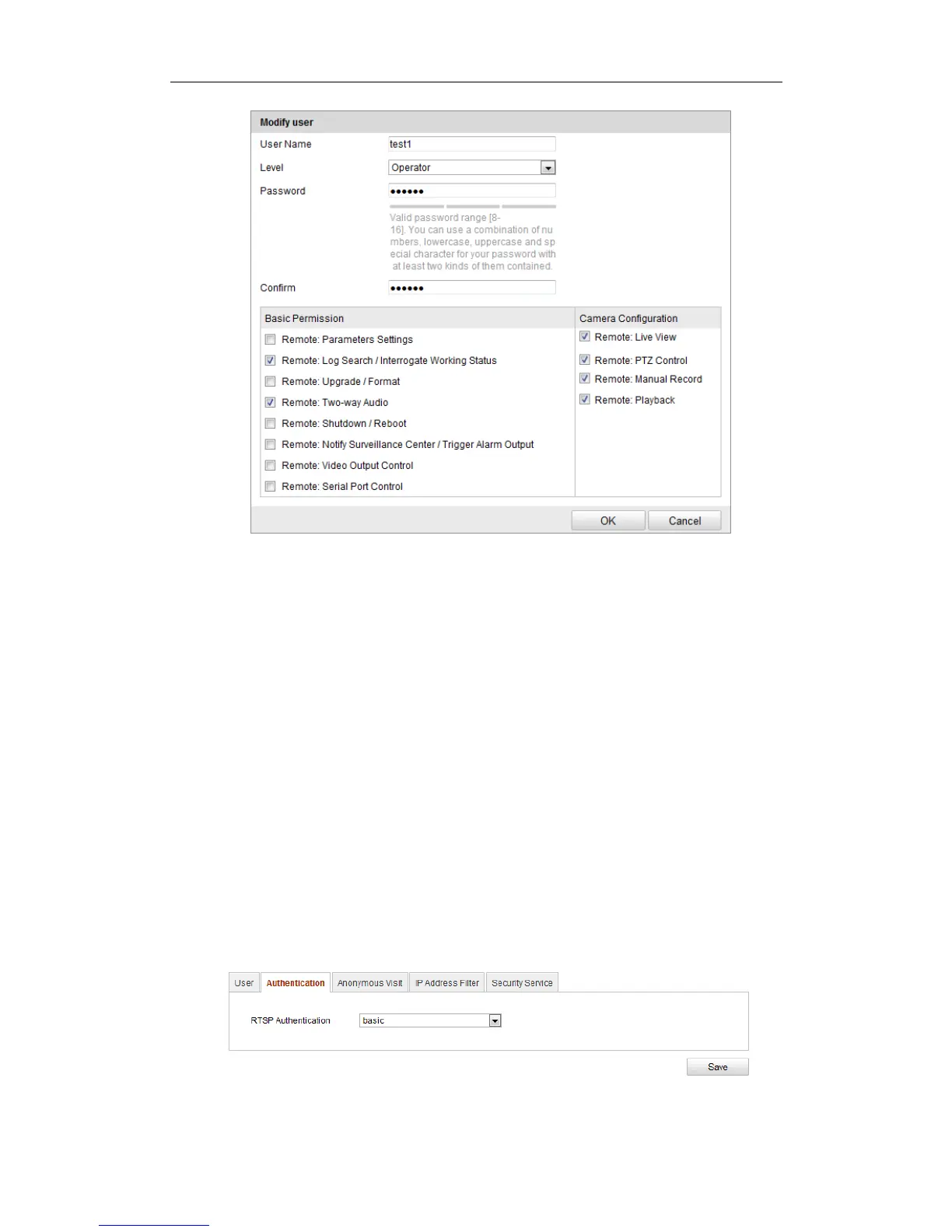
Figure 12-3 Modify a User
Deleting a User
Steps:
1. Click to select the user you want to delete and click Delete.
2. Click OK on the pop-up dialogue box to delete the user.
12.2 Authentication
Purpose:
You can specifically secure the stream data of live view.
Steps:
1. Enter the Authentication interface: Configuration> Advanced Configuration>
Security > Authentication
Figure 12-4 RTSP Authentication





 To Next Page