EasyManua.ls Logo

Hill-Rom Isolette C2000 - Page 45

Hill-Rom Isolette C2000
93 pages
Print Icon
To Next Page IconTo Next Page
To Previous Page IconTo Previous Page
Loading...
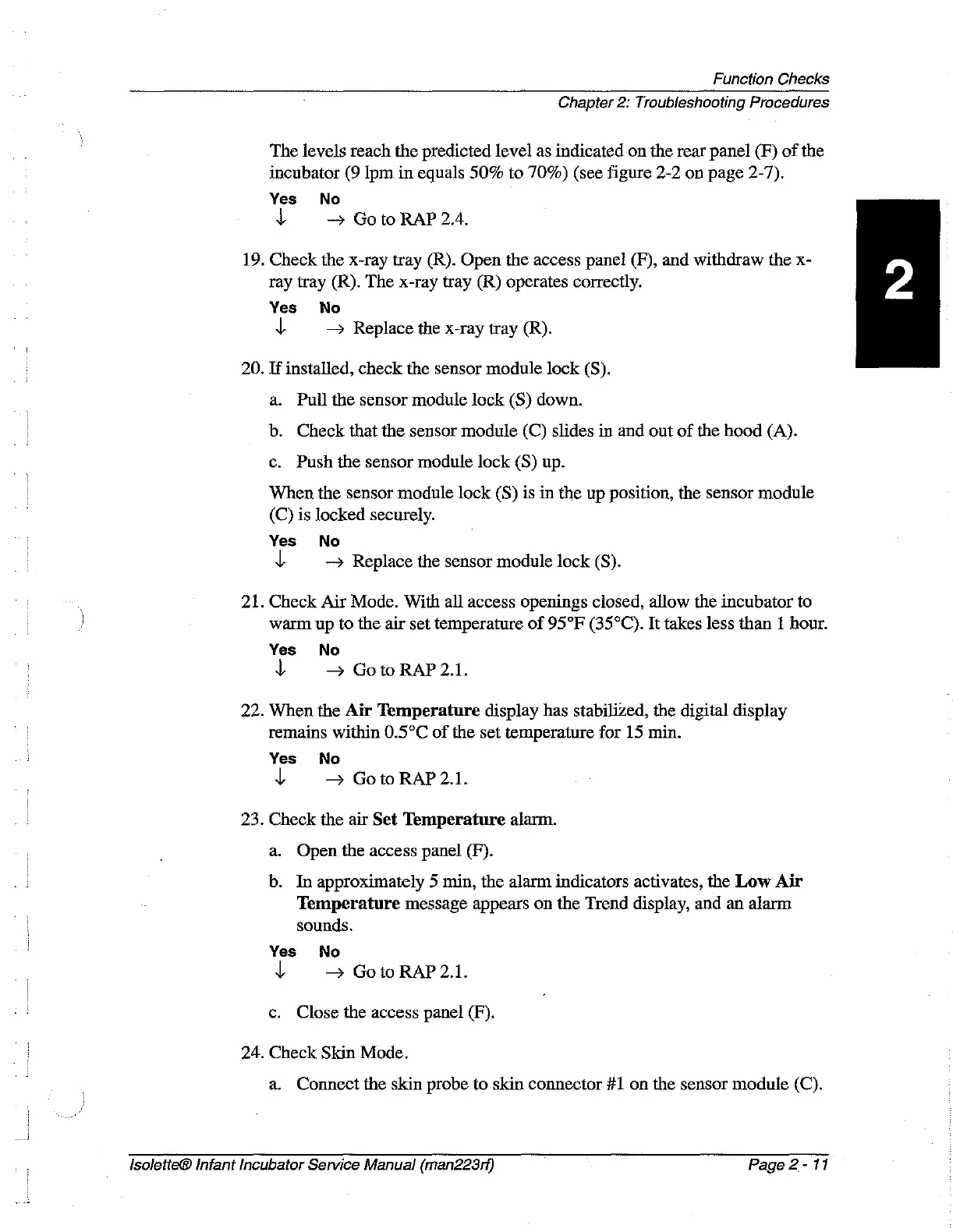
Function
Checks
Chapter
2:
Troubleshooting
Procedures
The
levels
reach
the
predicted
level
as
indicated
on
the
rear
panel
(F)
of
the
incubator
(9
Ipm
in
equals
50%
to
70%)
(see
figure
2-2
on
page
2-7).
Yes
No
$
Go
to
RAP
2.4.
19.
Check
the
x-ray
tray
(R).
Open
the
access
panel
(F),
and
withdraw
the
x-
ray
tray
(R).
The
x-ray
tray
(R)
operates
correctly.
Yes No
4
Replace
the
x-ray
tray
(R).
20.
If
installed,
check
the
sensor
module
lock
(S).
a.
Pull
the
sensor
module
lock
(S)
down.
b.
Check
that
the
sensor
module
(C)
slides
in
and
out
of
the
hood
(A).
c.
Push
the
sensor
module
lock
(S)
up.
When
the
sensor
module
lock
(S)
is
in
the
up
position,
the
sensor
module
(C)
is
locked
securely.
Yes
No
y
>
Replace
the
sensor
module
lock
(S).
21.
Check
Air
Mode.
With
all
access
openings
closed,
allow
the
incubator
to
warm
up
to
the
air
set
temperature
of
95°F
(35°C).
It
takes
less
than
1
hour.
Yes
No
\
>
Goto
RAP
2.1.
22.
When
the
Air
Temperature
display
has stabilized,
the
digital
display
remains
within
0.5°C
of
the
set
temperature
for
15
min.
Yes
No
4
GotoRAP
2.1.
23.
Check
the
air
Set
Temperature
alarm.
a.
Open
the
access
panel
(F).
b.
In
approximately
5
min,
the
alarm
indicators
activates,
the
Low
Air
Temperature
message
appears
on
the
Trend
display,
and
an
alarm
sounds.
Yes
No
y
>
Goto
RAP
2.1.
c.
Close
the
access
panel
(F).
24.
Check
Skin
Mode.
a.
Connect
the
skin
probe
to
skin
connector
#1
on
the
sensor
module
(C).
Isolette®
Infant
Incubator
Service
Manual
(man223rf)
Page
2-
11

Table of Contents

Related product manuals