EasyManua.ls Logo

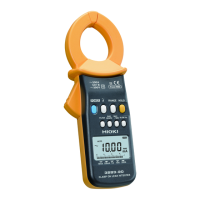
Hioki 3284 - User Manual

Hioki 3284
160 pages
Print Icon
To Next Page IconTo Next Page
Loading...
3284
クランプオンAC/DCハイテスタ
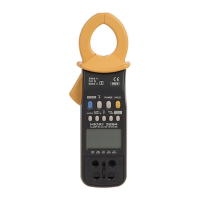
CLAMP ON AC/DC HiTESTER
2014年12月 発行 改訂17版
取扱説明書
Instruction Manual
December 2014 Revised edition 17 3284A980-17 14-12H

Questions and Answers

  • M
    Marissa RiosAug 20, 2025
    What to do if the measured value fluctuates on Hioki 3284?
    • R
      robertjarvisAug 20, 2025
      If the measured value fluctuates, verify the stability of the measured circuit. For voltage measurements, ensure the test leads are fully connected. Also, consider the waveform, as certain frequencies, like those of inverters, may not be measurable.
  • N
    nicholascunninghamAug 22, 2025
    Why is the measured value larger than the estimated value on Hioki Measuring Instruments?
    • T
      Theresa CarrilloAug 22, 2025
      If the measured value is larger than expected, ensure you're using the correct range. Examine the waveform using the MON output function to confirm that only the estimated frequency components are present. Verify that the counter has been reset with 0ADJ/RESET before peak measurement. Also, check for magnetic fields, electrical fields, or potential noise sources near the unit. Note that if the power supply switches from battery to AC adapter (e.g., after a blackout), the measured value might be temporarily higher than the actual value.
  • S
    Stephanie GonzalezAug 25, 2025
    Why is the measured value smaller than the estimated value on Hioki 3284 Measuring Instruments?
    • S
      Stacy CarpenterAug 25, 2025
      If the measured value is smaller than the estimated value, check the clamp sensor is firmly closed and that the frequency of the measured circuit is within the specifications. Also, verify that you're using the proper mode. Ensure that the peak value and crest factor are below the circuit dynamic value provided in the specifications and that the battery warning annunciator is off. Confirm that the proper steps have been taken, according to procedure described in 2.5.1: Auto-zero adjustment function and 2.5.2: Zero-cancel correction function.
  • A
    Alexis LongAug 26, 2025
    What to do if the output value is smaller than the estimated value on Hioki Measuring Instruments?
    • R
      robinwiseAug 26, 2025
      If the output value is smaller than expected, ensure the 9094 OUTPUT CORD is fully connected and that you've selected the correct output mode (REC or MON). Also, ensure that the previously selected output mode (current or frequency) is not active. Verify that the input impedance of the connected measuring instrument is at least 1 MΩ and that its mode is not AC coupling, or that the filter function is disabled.
  • N
    Nicolas SmithAug 27, 2025
    What to do if the output value is larger than the estimated value on Hioki 3284 Measuring Instruments?
    • C
      Carlos SmithAug 27, 2025
      If the output value is larger than estimated, check that you've selected the proper output mode (REC or MON) and that the previously selected output mode (current or frequency) is not active. Note that the output value might shift for approximately 10 ms if the power supply changes from battery to AC adapter during MON output on current measurement or REC output on frequency measurement.
  • J
    James HallAug 29, 2025
    What to do if the counter doesn't become zero on Hioki 3284 Measuring Instruments?
    • J
      Jennifer CoxAug 29, 2025
      If the counter does not reset to zero, use the auto-zero adjustment function (2.5.1) or use the zero-cancel correction function (2.5.2).
  • M
    Megan ValdezAug 31, 2025
    What to do if the Hioki Measuring Instruments unit turns off during use?
    • J
      Jessica HarrisonAug 31, 2025
      If the unit turns off during use, replace the battery.
  • O
    ocarterSep 2, 2025
    What to do if indication appears and unit immediately turns off Hioki 3284 Measuring Instruments?
    • C
      Christopher CarterSep 2, 2025
      If an indication appears and the unit immediately turns off, replace the battery.
  • J
    John SchmidtSep 4, 2025
    How to measure voltage if it cannot be measured on Hioki 3284 Measuring Instruments?
    • M
      Melanie WintersSep 4, 2025
      If voltage cannot be measured, check the test leads for a broken wire.
  • K
    Kendra WilliamsSep 6, 2025
    How to fix the Hioki Measuring Instruments unit if it does not come on?
    • D
      David CookSep 6, 2025
      If the unit does not come on, replace the battery.

Summary

Introduction

Shipping Check

Check the 3284 Unit and the Supplied Accessories

Verification of main unit, supplied accessories, and optional items.

Safety

Safety Symbols

Explains the meaning of safety symbols used in the manual.

Measurement Categories

Explains measurement categories (CAT II, III, IV) for safe instrument use.

Attentions During Use

Chapter 1 Product Outline

1.1 Product Outline

Overview of the HIOKI 3284 CLAMP ON AC/DC HiTESTER's capabilities.

1.2 Features

Highlights the key features and capabilities of the instrument.

1.3 Parts and Functions

Identifies and explains the function of each part of the instrument.

Chapter 2 Measurement Procedure

2.1 Preparations

Steps required before performing measurements, including battery installation.

2.2 Current Measurement

Core procedures for measuring current with the clamp sensor.

2.2.1 Measuring DC Current (DC A)

Procedure for measuring DC current using the clamp sensor.

2.2.2 Measuring AC Current (AC A)

Procedure for measuring AC current using the clamp sensor.

2.2.3 Measuring AC;DC Current (AC+DC A)

Procedure for measuring AC+DC current using the clamp sensor.

2.2.4 Peak Hold Measurement

How to perform peak hold measurements for current.

2.2.5 Output Function

How to use the output function for recording or waveform monitoring.

2.3 Voltage Measurement

Core procedures for measuring voltage using test leads.

2.3.1 Measuring DC Voltage (DC V)

Procedure for measuring DC voltage using test leads.

2.3.2 Measuring AC Voltage (AC V)

Procedure for measuring AC voltage using test leads.

2.3.3 Measuring AC;DC Voltage (AC+DC V)

Procedure for measuring AC+DC voltage using test leads.

2.3.4 Peak Hold Measurement

How to perform peak hold measurements for voltage.

2.4 Frequency Measurement

Measurement procedures for frequency.

2.4.1 Frequency Measurement in Current Mode

How to measure frequency in current mode.

2.4.2 Frequency Measurement in Voltage Mode

How to measure frequency in voltage mode.

2.4.3 Output Function For Frequency

Details on using the output function for frequency measurements.

2.5 Auto-Zero-Adjustment;Zero-Cancel Correction Function

Essential functions for accurate zeroing and calibration.

2.5.1 Auto-Zero-Adjustment Function

Function for automatically adjusting internal circuit offsets for accurate zeroing.

2.5.2 Zero-Cancel Correction Function

Function to correct zero errors when auto-zero fails.

2.6 Data Hold Function

Freezes the displayed value for easy reading.

2.7 Alteration of Counter Updates

Settings to change display update rates.

2.7.1 SLOW mode

Slows down screen updates for easier reading of fluctuating values.

2.7.2 FAST mode

Speeds up screen updates for measuring rapid changes.

2.8 Recording Function

Records maximum, minimum, and average values during measurement.

Chapter 3 Specifications

3.1 Measurement Specifications

Detailed specifications for measurement accuracy and ranges.

3.1.1 Current Measurement Specifications

Accuracy and range specifications for current measurements.

3.1.2 Voltage Measurement Specifications

Accuracy and range specifications for voltage measurements.

3.2 General Specifications

General specifications including functions, display, and physical attributes.

Chapter 4 Battery Replacement

Chapter 5 AC Adapter (Optional) Use

Chapter 6 Attaching The Hand Strap

Chapter 7 Troubleshooting

Symptom;Remedy Table

Common symptoms and their remedies for troubleshooting the unit.

Chapter 8 Service

Hioki 3284 Specifications

General IconGeneral
BrandHioki
Model3284
CategoryMeasuring Instruments
LanguageEnglish

Related product manuals