20
Installation SPIDER PL
Release
08
09/2018
1.4 Power supply
You have the following options to supply your device with voltage:
Power supply via a 6-pin terminal block
A 6-pin terminal block is available for the power supply to the device.
You will find more information here:
See “Installing terminal blocks, switching on the supply voltage” on
page 33.
9 ... 14 6 × RJ45 socket for 10/100 Mbit/s twisted pair connections
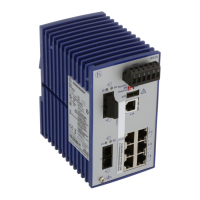
SPIDER PL-20-06T1...
1 LED display elements for device status
2 6-pin, pluggable terminal block for power supply and signal contact
3, 5, 7 LED display elements for port status
4, 6, 8 SFP slot for 100 Mbit/s F/O connections
9 USB interface
10 Rail lock slide for DIN rail mounting
11 ... 16 6 × RJ45 socket for 10/100 Mbit/s twisted pair connections
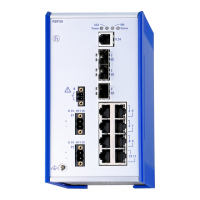
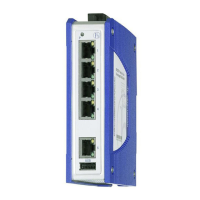
SPIDER PL-20-04T1...
1 LED display elements for device status
2 6-pin, pluggable terminal block for power supply and signal contact
3 ... 6 4 × RJ45 socket for 10/100 Mbit/s twisted pair connections
7 depending on device variant
ST multimode socket for 100 Mbit/s F/O connections
DSC multimode socket for 100 Mbit/s F/O connections
DSC singlemode socket for 100 Mbit/s F/O connections
8 USB interface
9 Rail lock slide for DIN rail mounting
SPIDER PL-20-16T1...
1 LED display elements for device status
2 6-pin, pluggable terminal block for power supply and signal contact
3 16× RJ45 socket for 10/100 Mbit/s twisted pair connections
4 USB interface
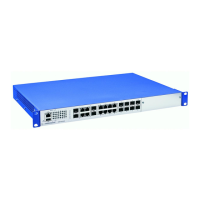
SPIDER PL-20-24T1...
SPIDER PL-30-24T1...
1 LED display elements for device status
2 6-pin, pluggable terminal block for power supply and signal contact
3 LED display elements for port status
42×SPIDER PL-20-24T1...
SFP slot for 100 Mbit/s F/O connections
SPIDER PL-30-24T1...
SFP slot for 100/1000 Mbit/s fiber optic connections
5 8 × RJ45 socket for 10/100 Mbit/s twisted pair connections
6 USB interface
7 16 × RJ45 socket for 10/100 Mbit/s twisted pair connections



 To Next Page