24
Installation SPIDER PL
Release
08
09/2018
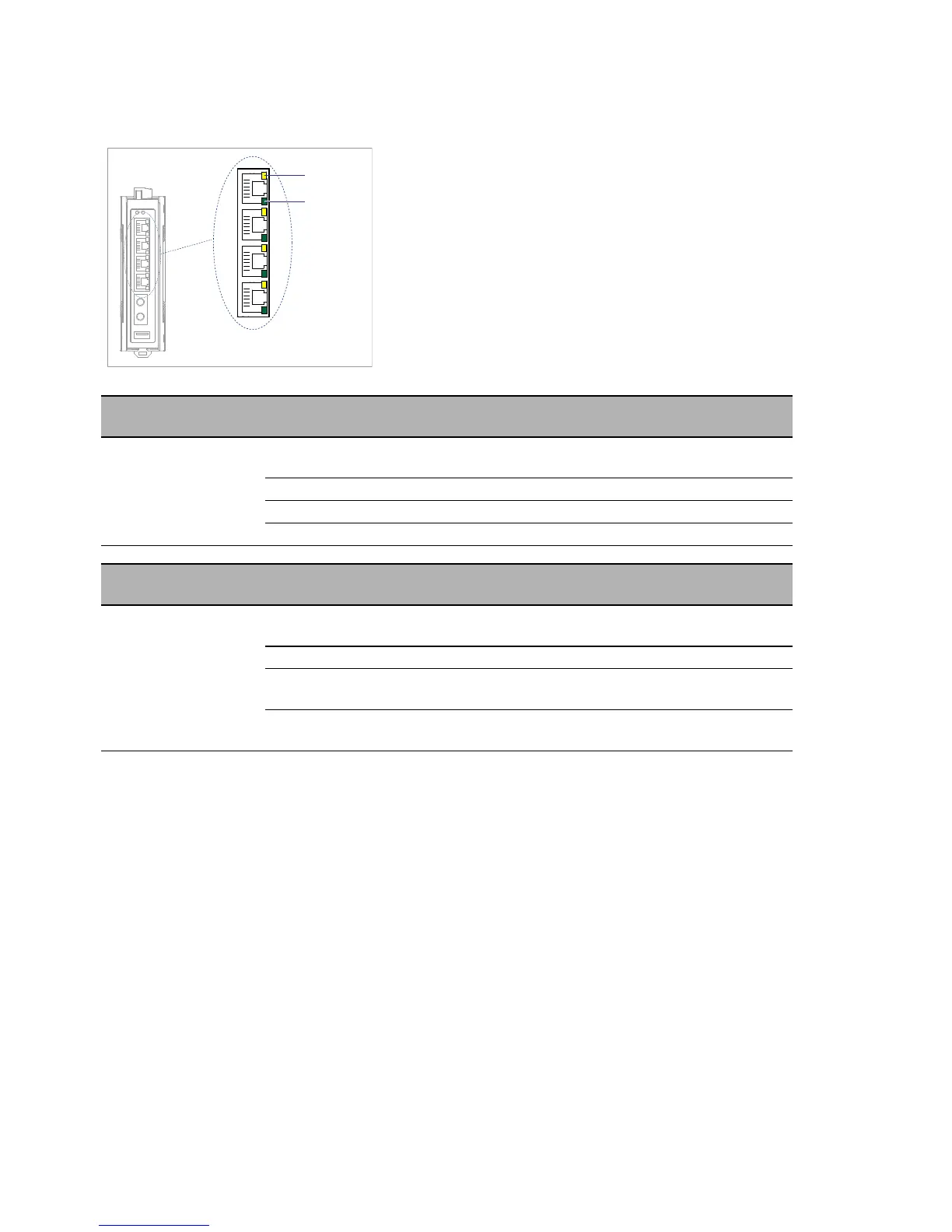
1.6.2 Port status
These LEDs provide port-related information.
SP
(data rate)
Color Activity Meaning
— none Device detects an invalid or missing
link
yellow flashes 1 time a period 10 Mbit/s connection
yellow flashes 2 times a period 100 Mbit/s connection
yellow flashes 3 times a period 1000 Mbit/s connection
L/D
(link status/data)
Color Activity Meaning
— none Device detects an invalid or missing
link
green lights up Device detects a valid link
green flashing Device is transmitting and/or
receiving data
yellow/
green
flashing alternately Updating configuration using the
USB interface



 To Next Page