5. CONFIGURATION FOR USING OPC
5-13
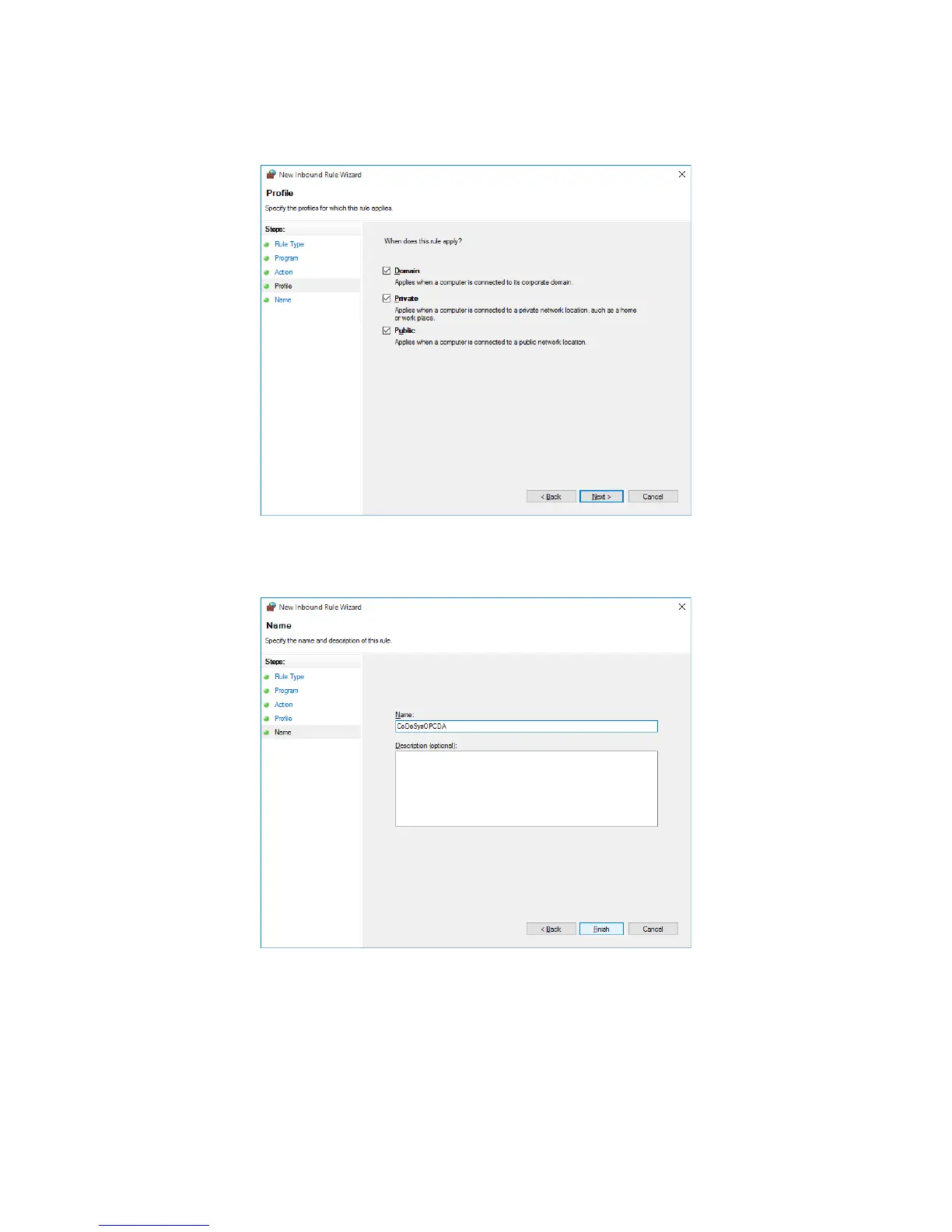
10. The Profile window of New Inbound Rule Wizard is displayed.
• Select all checkboxes, and then click Next.
11. The Name window of New Inbound Rule Wizard is displayed.
• Enter the rule name, and then click Finish.
12. Confirm that the rule just created is registered in Inbound Rules in the Windows
Firewall with Advanced Security window. Then close the window.
13. Close the Windows Firewall window.





 To Next Page