3. CREATING A PLC PROGRAM
3-12
3.1.5 Running a PLC program
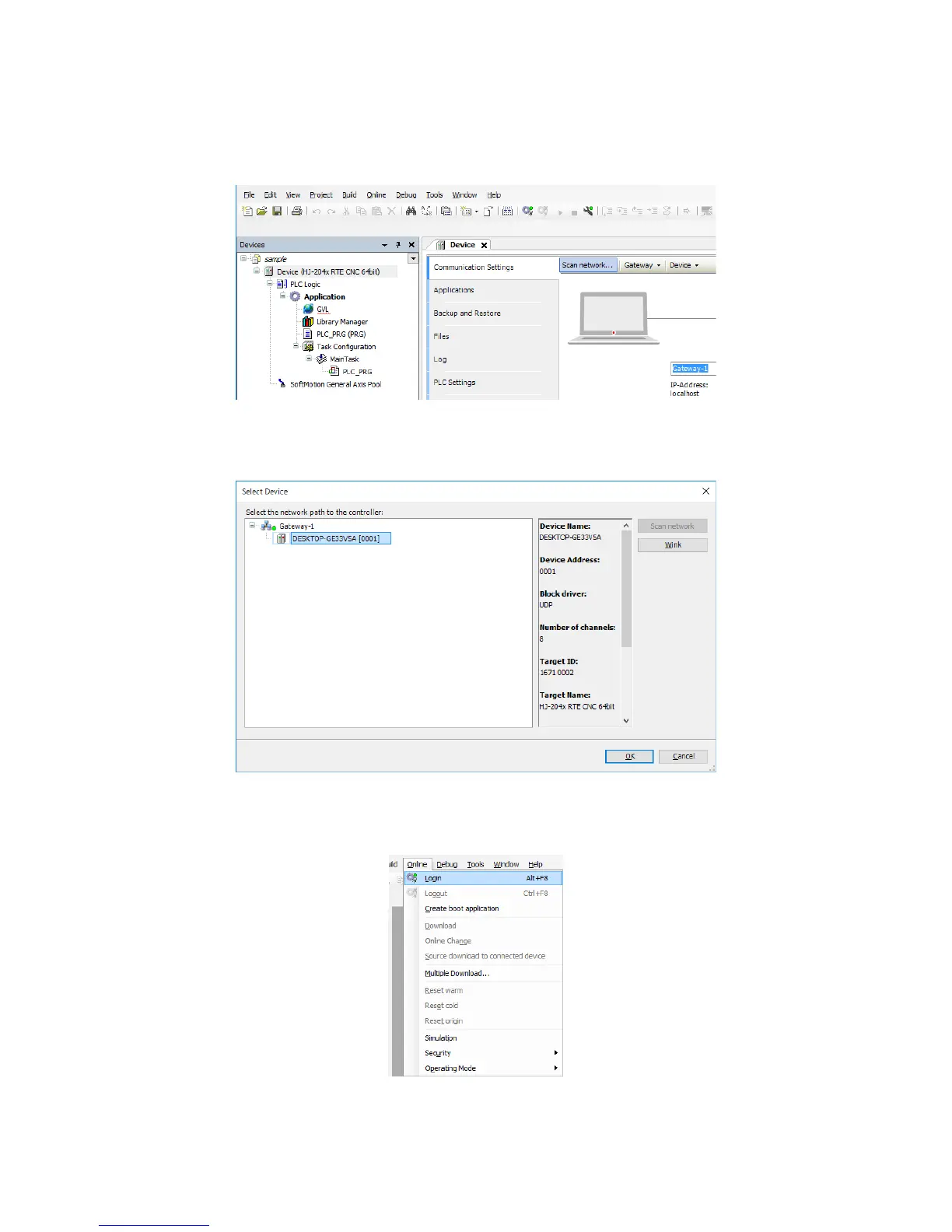
1. Double-click Device (*****) in the Devices window to display a window for setting up
device configuration. ((*****) shows the selected device name.)
2. Click Scan network to display the Select Device window.
In the Select Device window, select the device you want to connect to, and click OK.
3. After the device is connected, click the Online menu, and on the menu, click Login.
(Alternatively, click the login icon on the toolbar.)














 To Next Page