3. CREATING A PLC PROGRAM
3-17
3.3 Visualization Objects
CODESYS offers visualization features for creating a graphical user interface.
This section shows how to add and run a typical visualization object, Lamp.
For details about visualization features, refer to the following topic in the online help.
• CODESYS Visualization
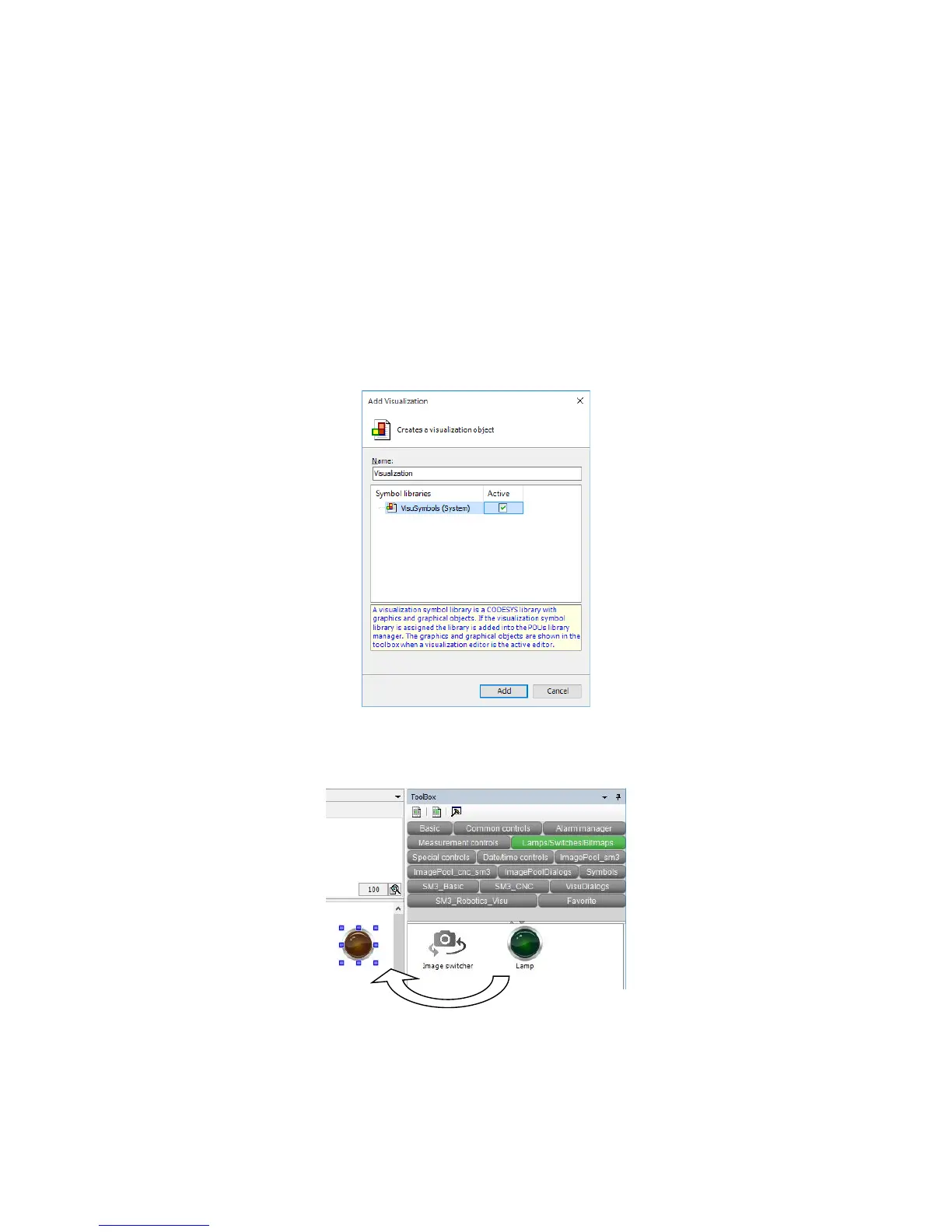
(1) Creating a visualization object
1. To add a visualization object, right-click Application in the Devices window, and on
the menu, click Add Object > Visualization.
2. The Add Visualization window is displayed. Select the Active checkbox for
VisuSymbols (System), and then click Add.
After the visualization is added, the ToolBox window appears.
3. In the ToolBox window, click Lamps/Switches/Bitmaps, and drag and drop the Lamp1
icon onto the visualization editor.














 To Next Page