3. CREATING A PLC PROGRAM
3-7
3.1.3 Building a PLC program
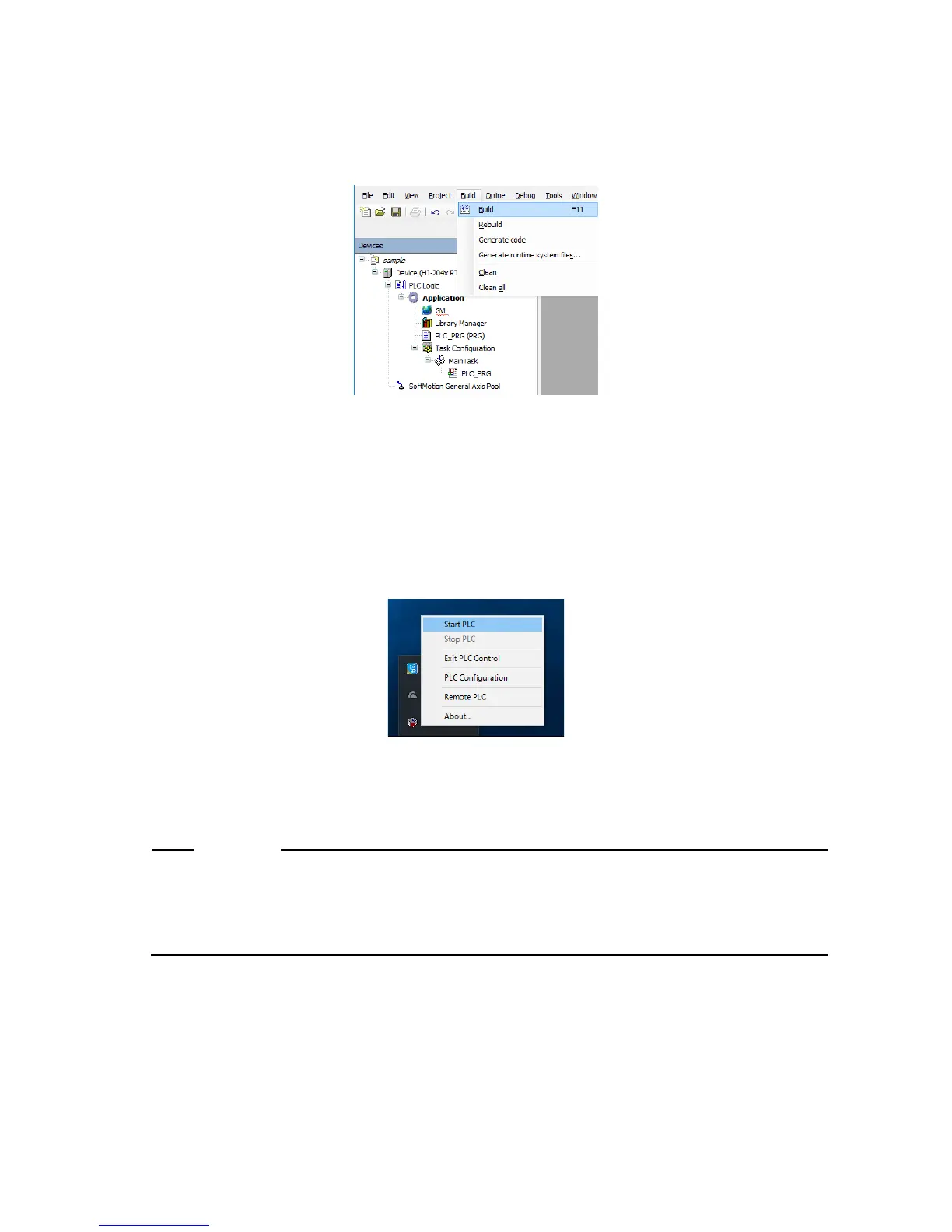
1. After you finish creating a program, click the Build menu, and on the menu, click Build.
(Alternatively, click the build icon on the toolbar.)
3.1.4 Starting PLC
Start PLC to run a PLC program.
For information about how to start PLC automatically when the device starts, see “(2)
Starting PLC automatically”.
(1) Starting PLC manually
1. Click the CODESYS Control RTE V3 icon in notification area on the taskbar. (The
icon is hidden by default, and you must click “^” to find it.) Then click Start PLC.
Notes 1: Wait until the startup process is complete. Be aware that it may take dozens of
seconds.
2: To stop PLC, click Stop PLC.
process may take dozens of seconds to complete.
Because of that, after you start (or stop) PLC, wait at least one minute before you stop














 To Next Page