3. CREATING A PLC PROGRAM
3-6
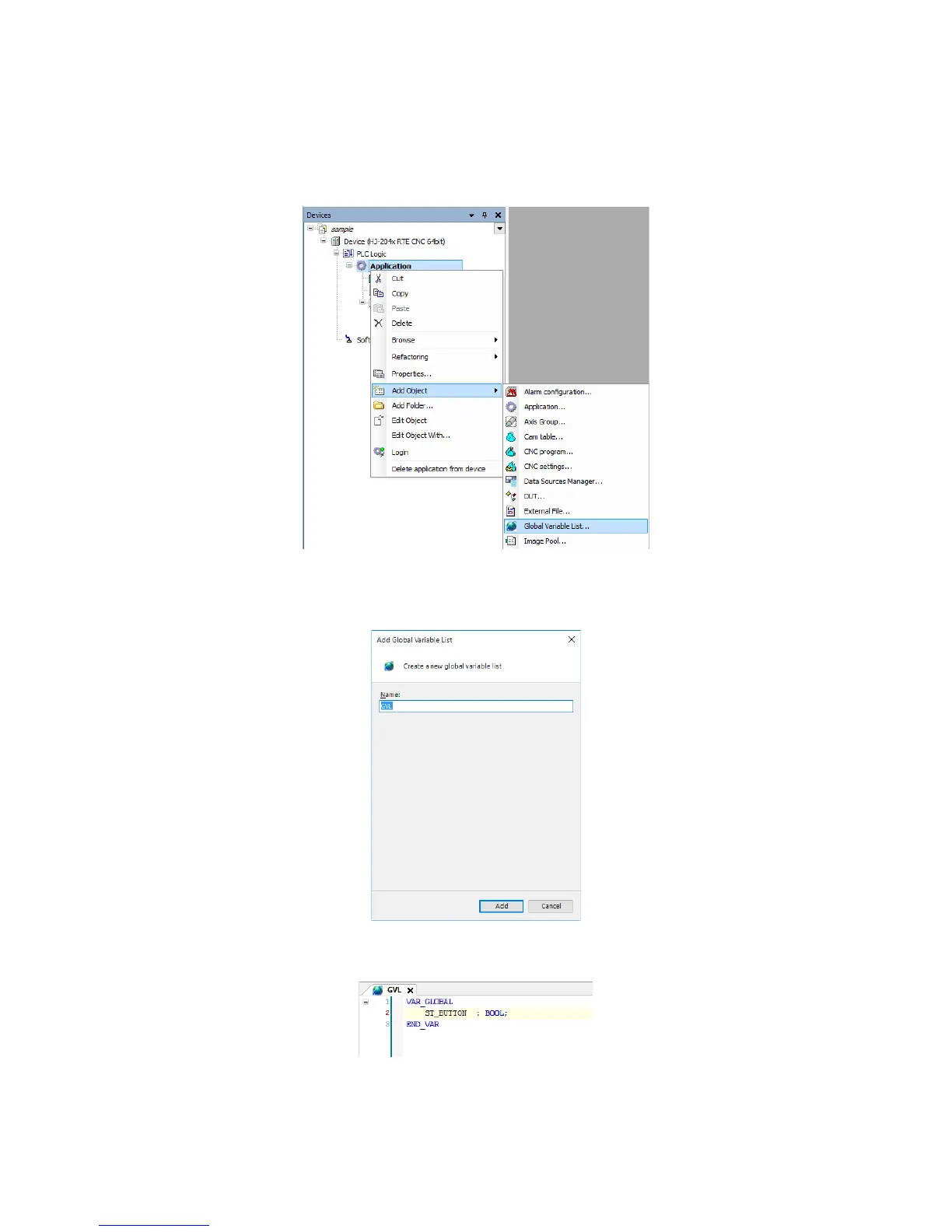
Creating global variables
To add global variables, follow the procedure below.
1. In the right-click menu on Application in the Devices window, click Add Object >
Global Variable List.
2. The Add Global Variable List window is displayed. Enter a name, and then click
Add.
3. You can add global variables in the new Global Variable List.














 To Next Page