4. CONFIGURATION OF EtherCAT CONNECTION
4-14
4.2 Configuration for Using Servo Amplifiers and Servo Motors
4.2.1 Adding EtherCAT devices (servo amplifiers and servo motors)
The following procedure shows how to add EtherCAT devices.
This procedure uses servo amplifiers (ADVA-R5MSEC) and servo motors (ADMA-
R5MF111) from Hitachi Industrial Equipment Systems Co.,Ltd. as an example.
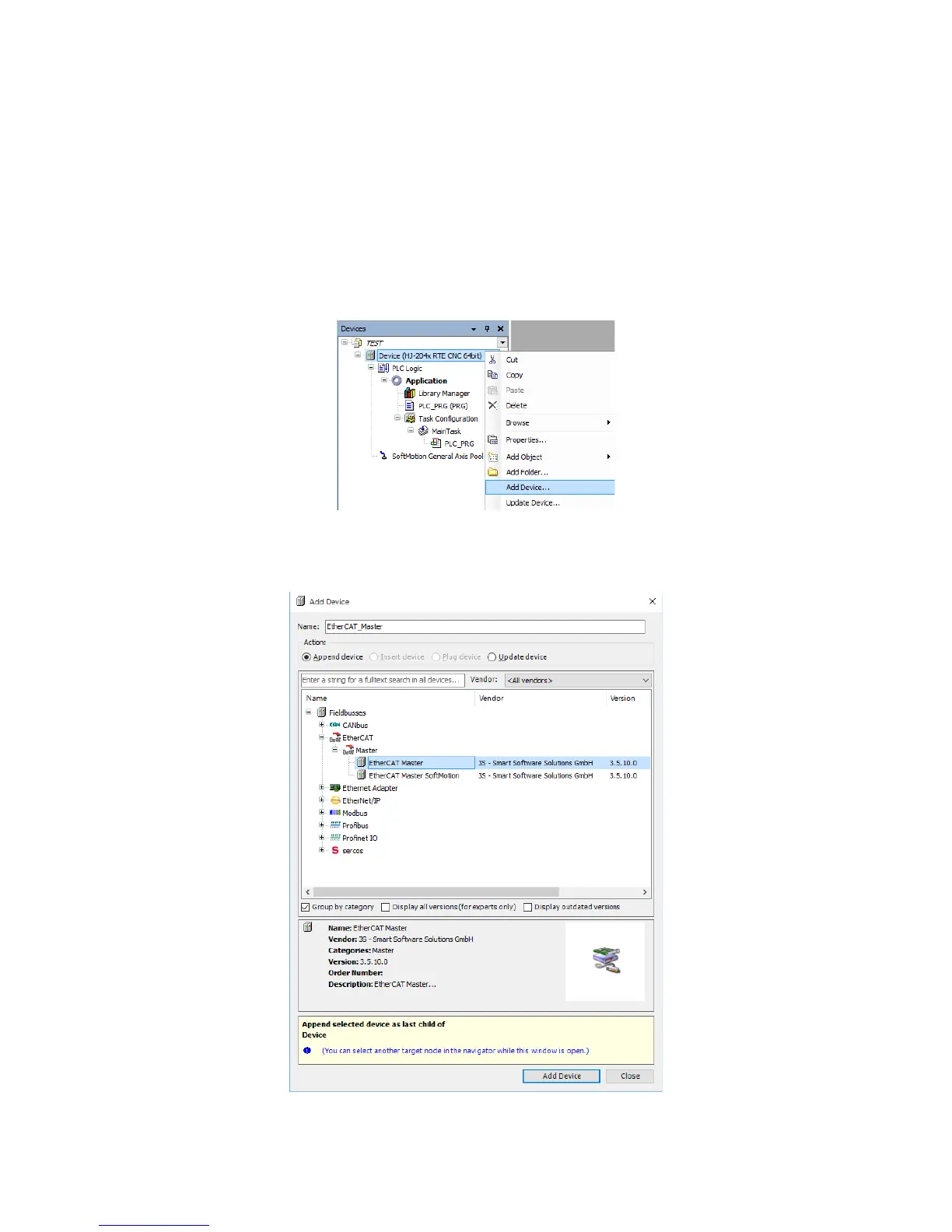
(1) Adding EtherCAT masters
1. Right-click on Device (*****) in the Devices window. ((*****) shows the selected
device name.) On the menu, click Add Device.
2. The Add Device window is displayed. Select EtherCAT > Master > EtherCAT
Master. Click Add Device, and then click Close.














 To Next Page