3. CREATING A PLC PROGRAM
3-3
3.1.2 Creating a PLC program
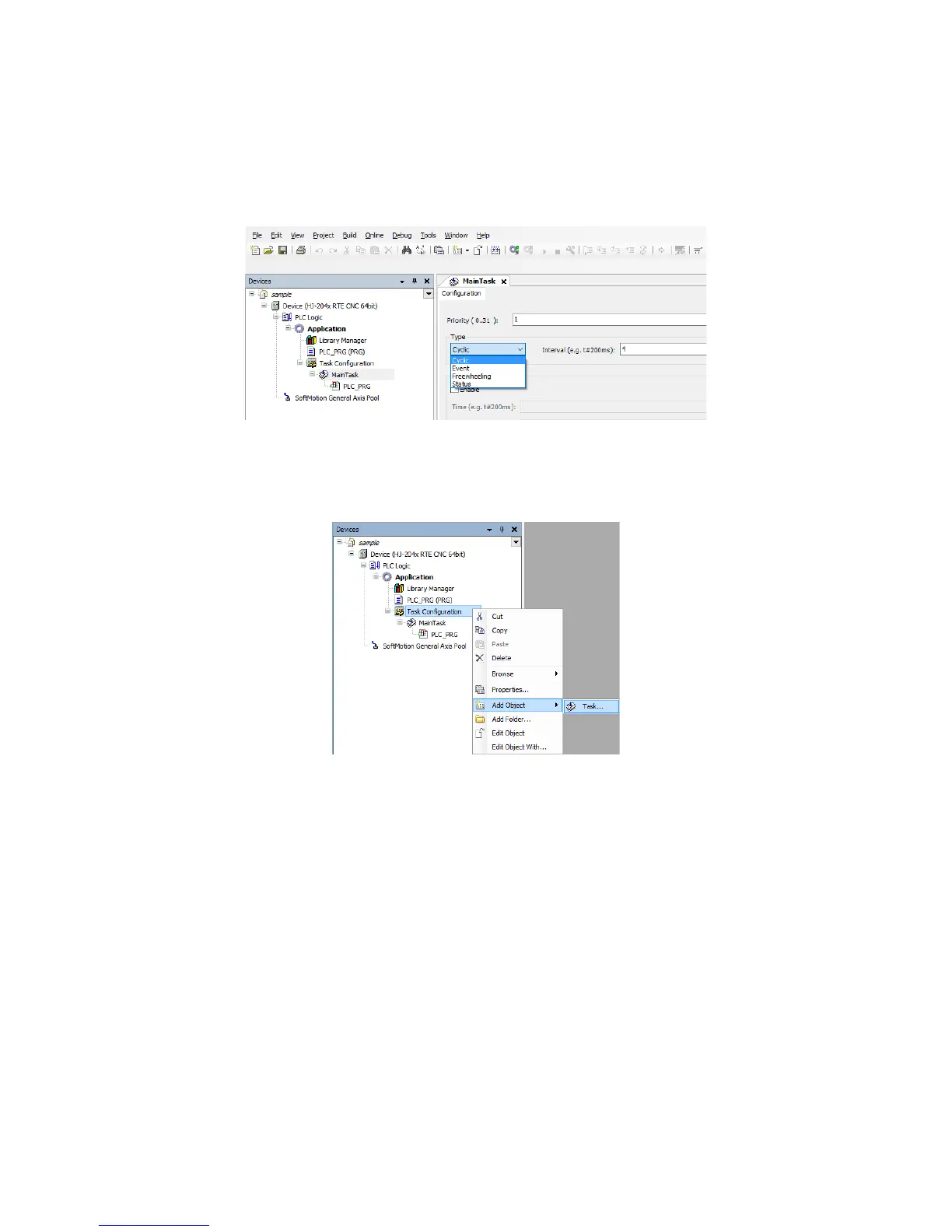
(1) Task configuration
1. Double-click MainTask in the Devices window to display a window for setting up the
task configuration.
In the MainTask tab, you can set task priority, type, and interval.
Adding a task
1. If you want to add a task, in the right-click menu on Task Configuration in the
Devices window, click Add Object > Task.














 To Next Page