3. CREATING A PLC PROGRAM
3-4
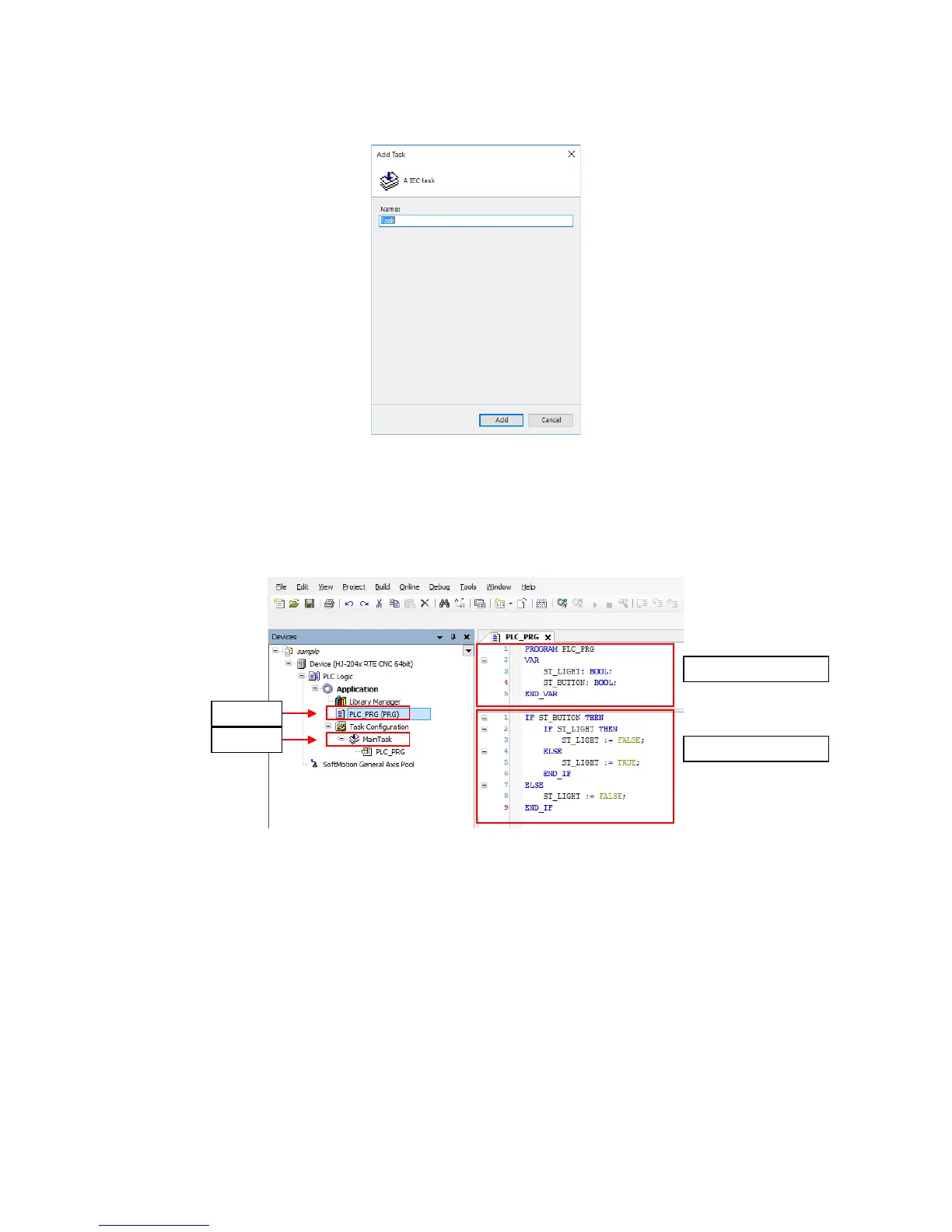
2. The Add Task window is displayed. Enter the task name, and then click Add.
(2) Creating a program
1. Double-click PLC_PRG (PRG) in the Devices window to display a window for
creating a program. You can create a program in the PLC_PRG tab. In the declaration
part in the upper pane, define variables. In the body in the lower pane, describe an
algorithm.
(*) POU is a program unit. Each POU is made of a declaration part and a body.
Only one programming language can be used in one POU. If you want to use
multiple programming languages, you must add a POU for each language.
Declaration part
Body
POU (*)
Task














 To Next Page