5. CONFIGURATION FOR USING OPC
5-2
5.2 Adding OPC Objects
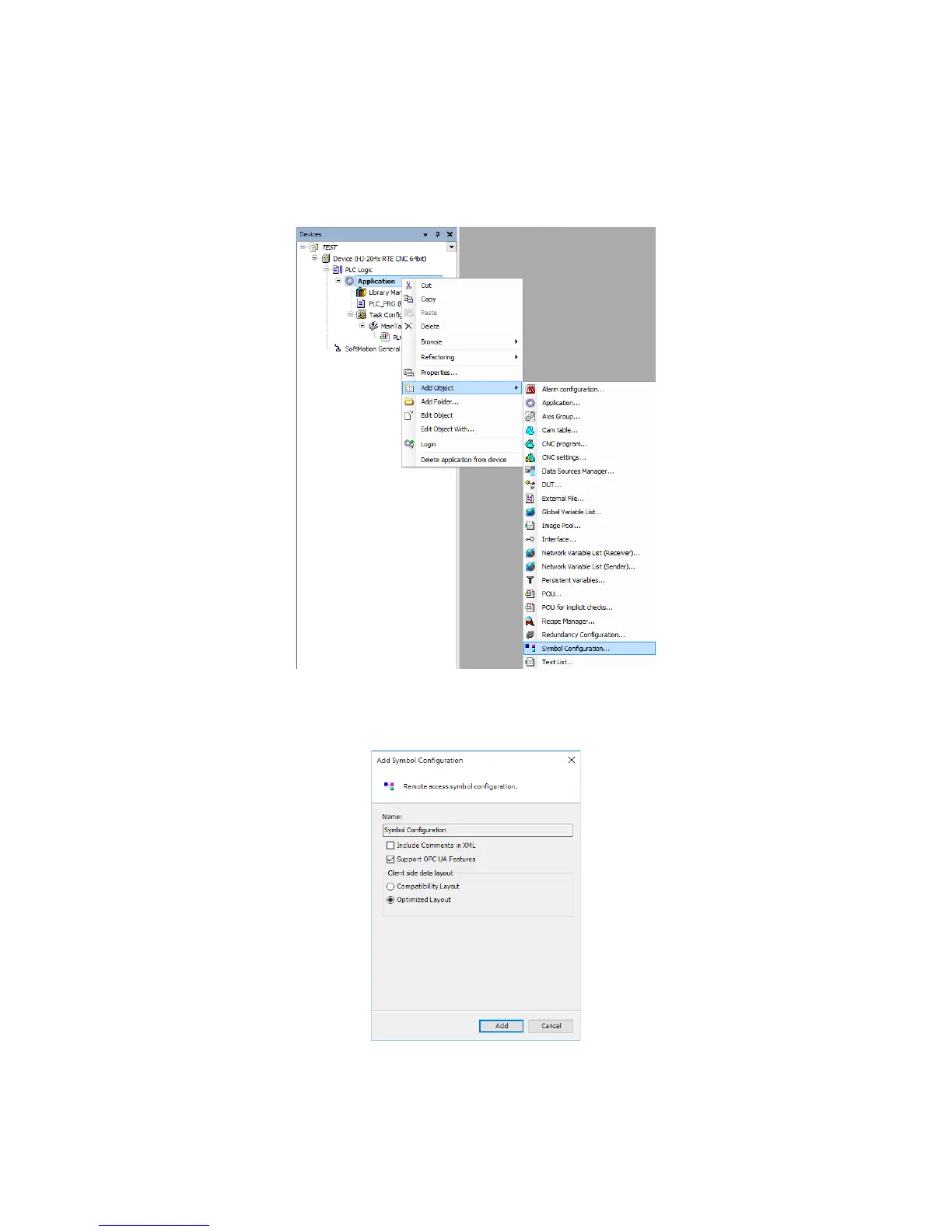
You must add a Symbol configuration object to disclose variables to the OPC client.
1. In the right-click menu on Application in the Devices window, click Add Object >
Symbol configuration.
2. The Add Symbol Configuration window is displayed. Click Add.
• If you want to use OPC UA, select Support OPC UA Features.














 To Next Page