EasyManua.ls Logo

Hitachi HF-W100E/IoT - Page 45

Hitachi HF-W100E/IoT
133 pages
Print Icon
To Next Page IconTo Next Page
To Previous Page IconTo Previous Page
Loading...
3. CREATING A PLC PROGRAM
3-2
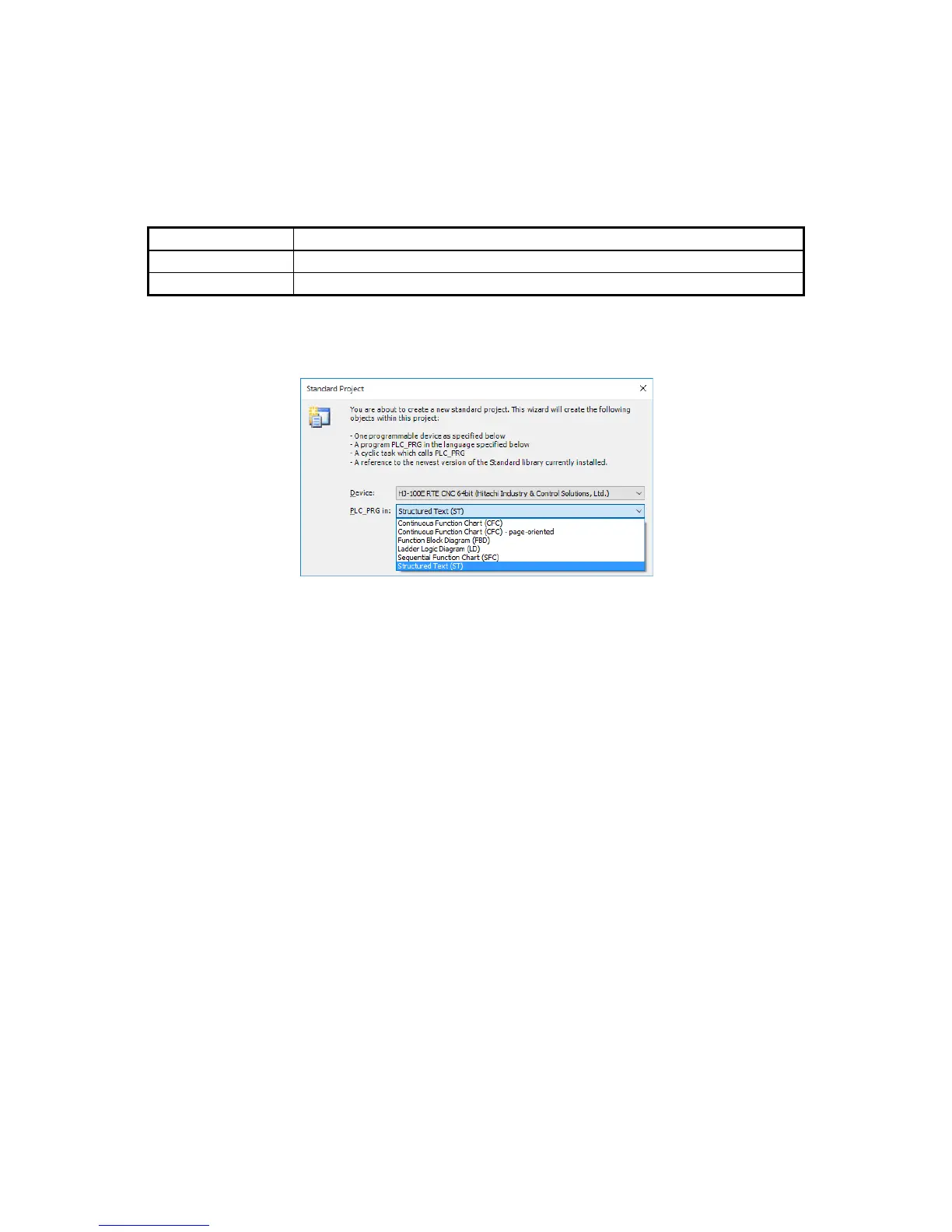
4. Select a device to run and a programming language (language for PLC_PRG) to use, and
then click OK.
• The device differs depending on the model you purchased. Select one of the following.
A device not described in the following table can be selected but it will not be supported
in HF-W100E/IoT.
Model
Device
Motion model
HJ-100E RTE SoftMotion 64bit (Hitachi Industry & Control Solutions, Ltd.)
CNC model
HJ-100E RTE CNC 64bit (Hitachi Industry & Control Solutions, Ltd.)
• For PLC_PRG in, specify a language to use.
In the figure below, Structured Text (ST) is selected as an example.

Table of Contents

Related product manuals