4. CONFIGURATION OF EtherCAT CONNECTION
4-15
(2) Adding EtherCAT slaves
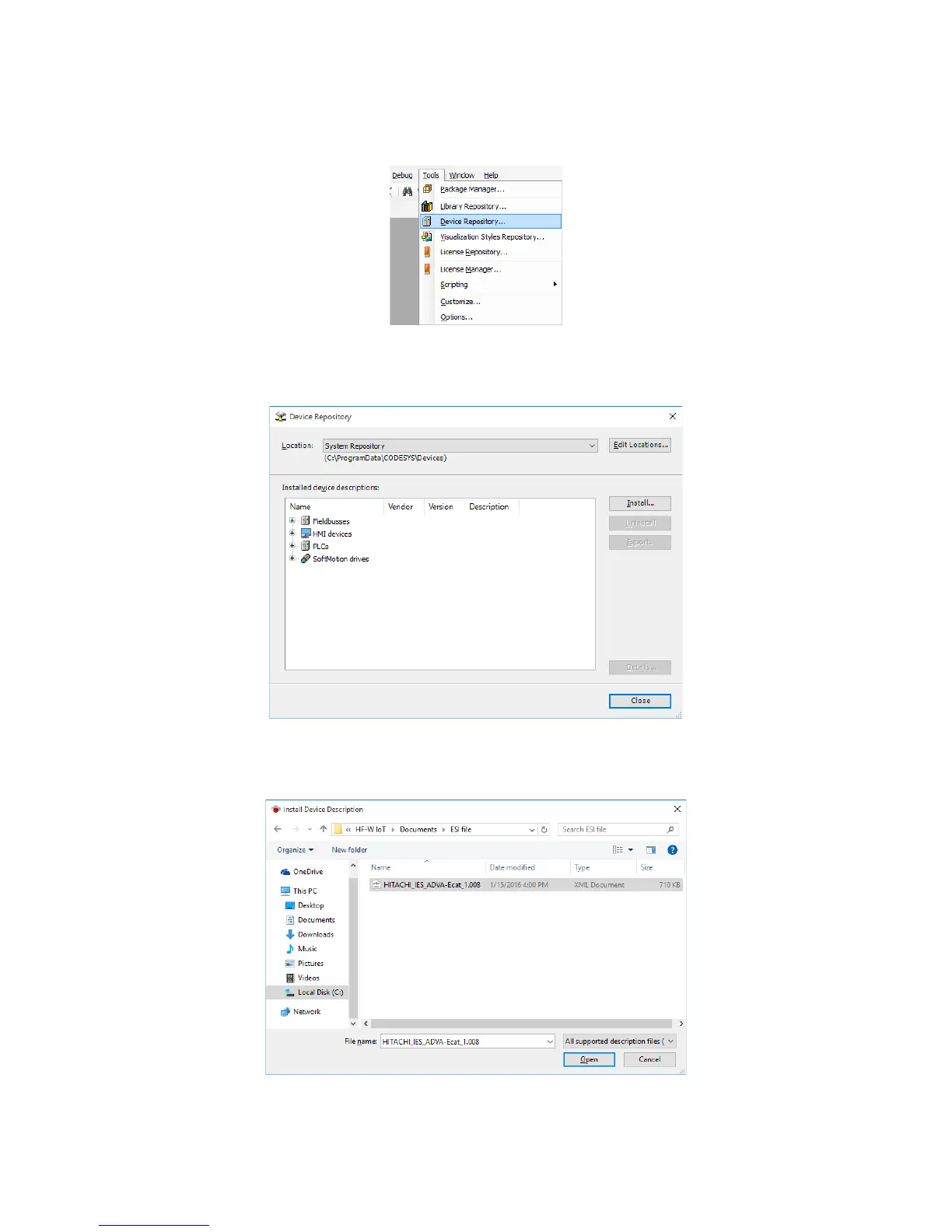
1. Click the Tools menu, and on the menu, click Device Repository.
2. The Device Repository window is displayed. Install the configuration file for the
device you want to connect. In this example, click Install.
3. The Install Device Description window is displayed. Select the ESI file (EtherCAT
Slave Information File) you obtained beforehand, and click Open.














 To Next Page