3. CREATING A PLC PROGRAM
3-10
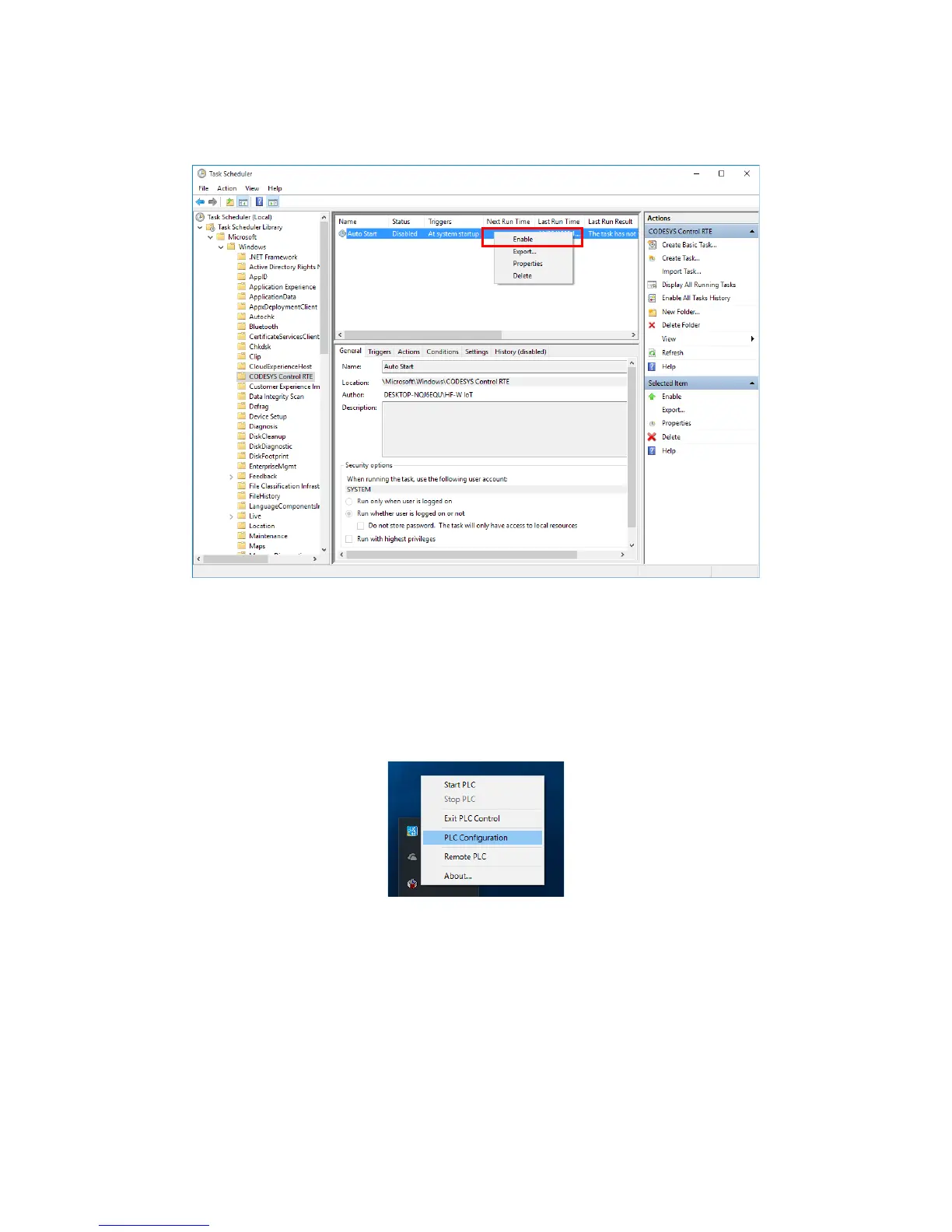
5. In the console window, right-click the Auto Start task, and on the menu, click
Enable.
Note: To cancel the PLC auto start, right-click the Auto Start task, and on the
menu, click Disable.
(b) Changing the PLC configuration
1. Click the CODESYS Control RTE V3 icon in notification area on the taskbar.
(The icon is hidden by default, and you must click “^” to find it.) Then click PLC
Configuration.














 To Next Page