3. CREATING A PLC PROGRAM
3-15
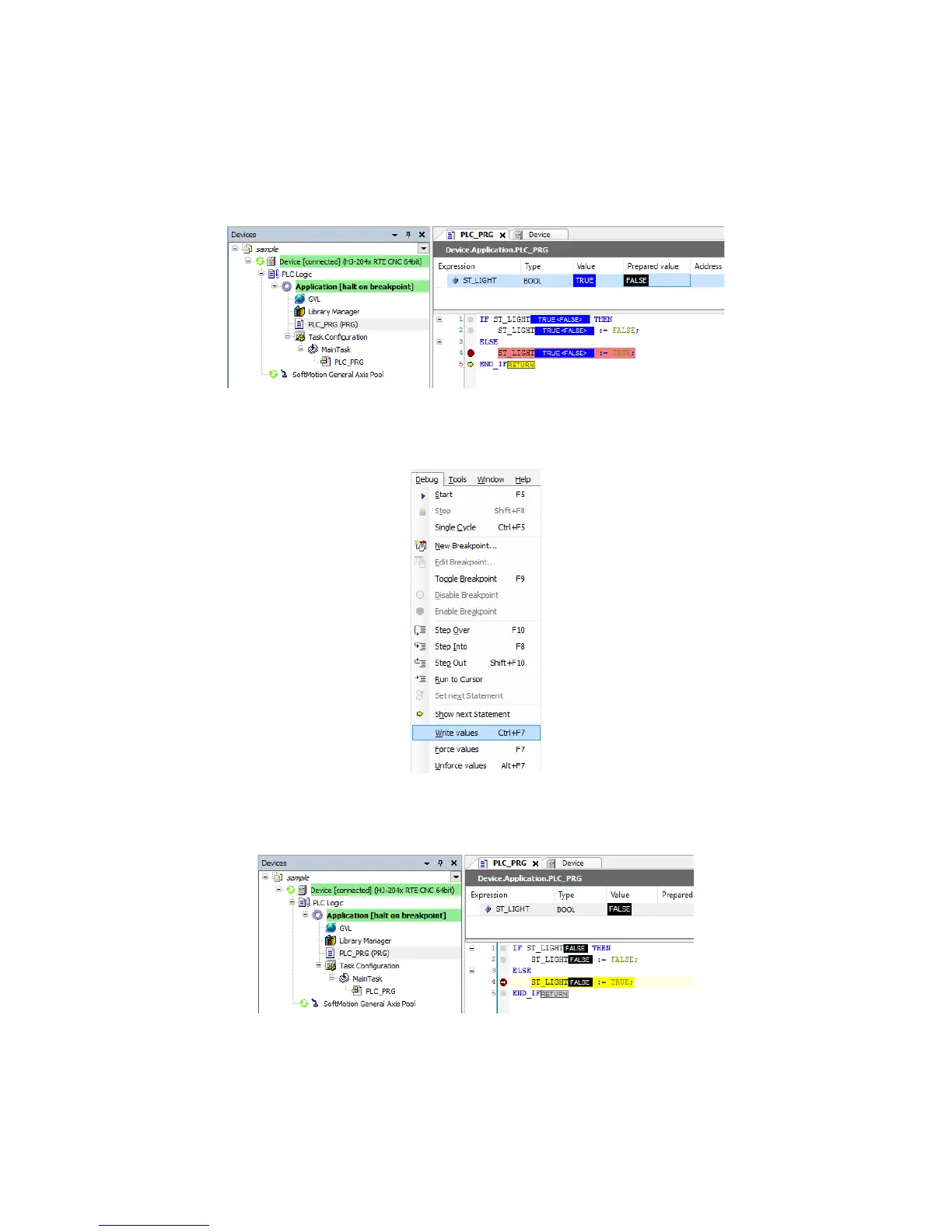
(2) Writing a value
You can write a value to a variable while the program is running.
1. Enter a value (example: FALSE) in Prepared value while the program is running. In
the body, the value is shown as “TRUE <FALSE>”.
2. Click the Debug menu, and on the menu, click Write values. (Alternatively, press
Ctrl + F7.)
3. At the next cycle, the “Value” is changed to the value shown as “Prepared value”
(example: FALSE).














 To Next Page